





- Your cart is empty Browse Shop
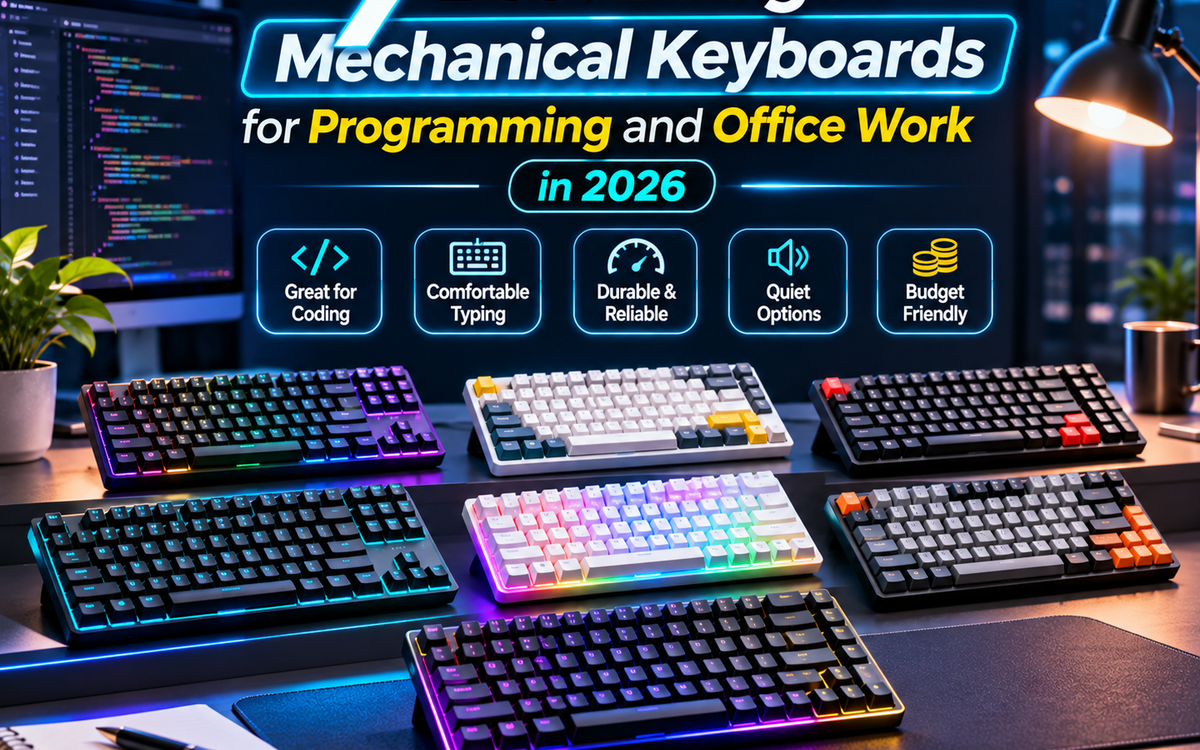
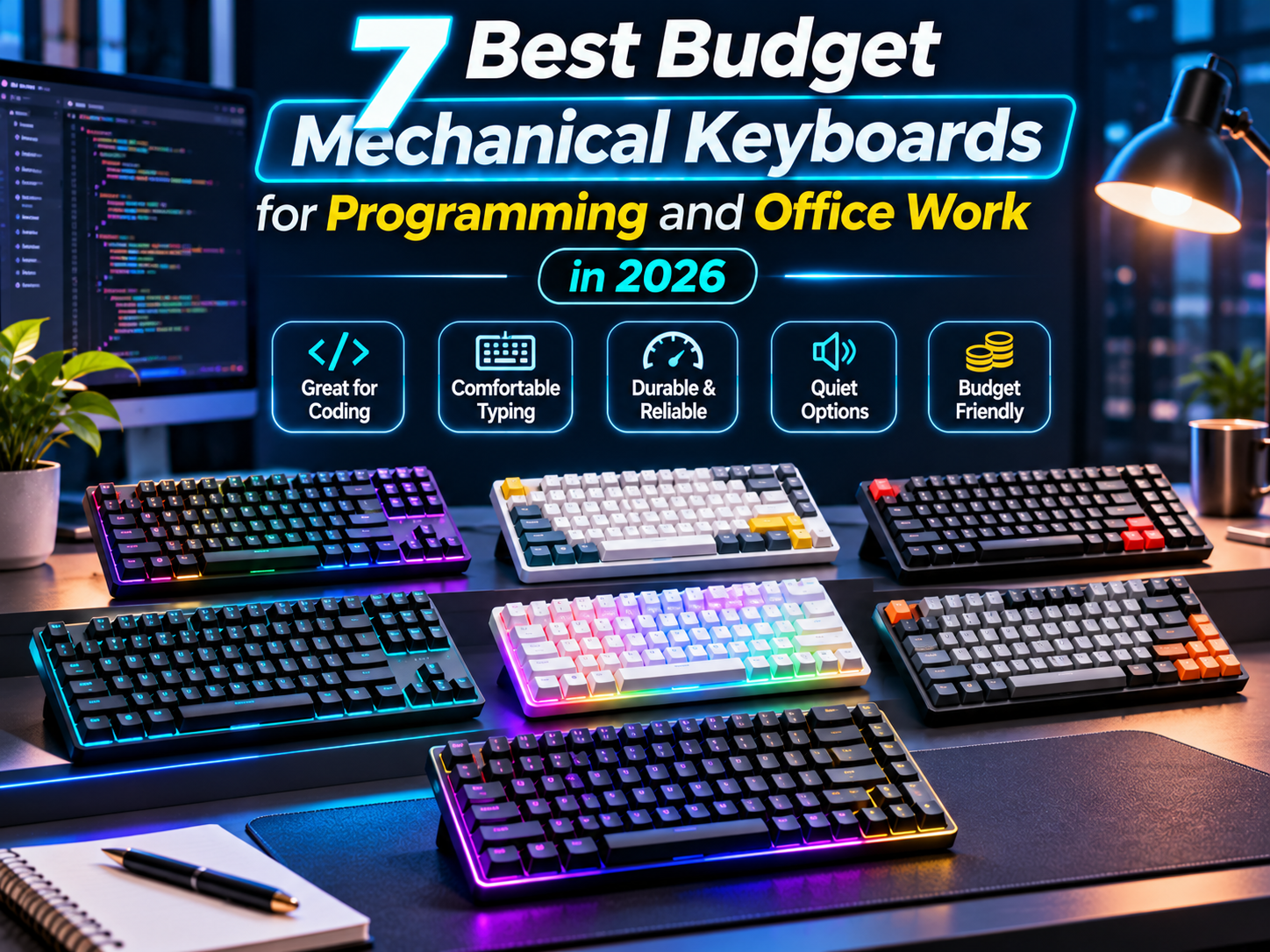
A keyboard is one of the few pieces of technology that programmers, office professionals and remote workers interact with for several hours every working day.
Yet many people continue using uncomfortable keyboards that offer inconsistent typing feedback, limited functionality or an unsuitable layout.
The good news is that buying a reliable mechanical keyboard does not necessarily require spending £150 or more.
Some of the best budget mechanical keyboards offer dedicated mechanical switches, durable construction, customisable keys and comfortable typing at considerably lower prices.
For most UK programmers, the Keychron C3 Pro 8K is an excellent affordable option worth considering. The Logitech G413 SE is particularly attractive for office workers requiring a numeric keypad, while the Cherry KC 200 MX with Silent Red switches is a strong candidate for quieter working environments.
However, the right choice depends on your typing preferences, working environment, operating system and budget.
This guide explores seven affordable mechanical keyboards and explains what to consider before purchasing one in 2026.
What Makes a Mechanical Keyboard Good for Programming and Office Work?
A good mechanical keyboard for programming and office work combines comfortable switches, reliable key registration, a practical layout, suitable noise levels and durable construction. Features such as programmable keys, UK ISO layouts, adjustable typing angles and multi-device connectivity can improve everyday usability, depending on the user’s working environment and preferences.
Programmers have different requirements from competitive gamers.
An expensive keyboard with advanced gaming features may offer little additional value to someone who spends most of the day writing code, preparing documents or managing spreadsheets.
Instead, practical considerations include comfortable typing, convenient access to navigation keys and compatibility with existing computer systems.
How We Selected the Best Budget Mechanical Keyboards
For this guide, budget mechanical keyboards are defined as models costing approximately £40–£100 at reference prices, including more capable options near the upper end of that range.
The recommendations prioritise genuine mechanical switches, typing functionality, UK layout availability, connectivity, construction quality and overall value.
The selection also considers whether each keyboard is particularly suitable for programming, shared offices, spreadsheets, remote work or smaller desks.
Research methodology: Recommendations are based on published manufacturer specifications and UK retailer information rather than hands-on product testing. Prices and stock availability can change, particularly during promotional periods.
1. Keychron C3 Pro 8K – Best Overall Budget Mechanical Keyboard for Programming
Reference price: £54.99
Keyboard layout: Tenkeyless (TKL), UK ISO available
Switch options: Keychron Super Red, Brown and Banana
Connectivity: Wired USB-C
Best for: Programmers, developers and everyday productivity
The Keychron C3 Pro 8K offers an attractive combination of affordability, customisation and practical typing features.
Its tenkeyless design removes the numeric keypad while retaining dedicated arrow keys, navigation controls and function keys. This makes it particularly suitable for programmers who regularly use keyboard shortcuts and navigate lengthy documents or code files.
The keyboard supports QMK-based customisation through Keychron Launcher, allowing users to remap keys and configure shortcuts.
Its hot-swappable design also allows compatible mechanical switches to be replaced without soldering.
Key Features
- Programmable keys and custom shortcuts.
- Hot-swappable mechanical switches.
- Compact tenkeyless layout.
- Gasket-mounted construction.
- Windows and macOS keycaps.
- UK ISO layout option.
Advantages
The C3 Pro 8K offers considerable customisation at a relatively affordable price. Its sound-dampening construction may also help reduce unwanted typing resonance.
Developers can configure shortcuts for frequently used commands, while replaceable switches provide flexibility if typing preferences change.
Disadvantages
The keyboard does not offer wireless connectivity or a dedicated numeric keypad.
Standard Red, Brown and Banana switches are also not completely silent.
Is It Worth Buying?
Yes. For programmers seeking an affordable, customisable mechanical keyboard with dedicated navigation keys, the Keychron C3 Pro 8K is the strongest all-round recommendation in this guide.
Keychron UK lists the model at £54.99 before applicable promotional discounts, although direct stock availability can vary. Keychron UK
Product information: Keychron C3 Pro 8K
2. Logitech G413 SE – Best Affordable Full-Size Mechanical Keyboard
Reference price: £39.99
Keyboard layout: Full-size UK QWERTY
Switch type: Tactile mechanical
Connectivity: Wired USB
Best for: Office professionals, spreadsheets and general productivity
The Logitech G413 SE is a practical choice for users who prefer a traditional full-size keyboard without complicated customisation.
Although marketed as a gaming keyboard, its understated appearance, dedicated numeric keypad and white backlighting make it suitable for professional environments.
Its tactile mechanical switches provide noticeable feedback during typing, while PBT keycaps offer resistance to everyday wear.
Key Features
- Full-size keyboard with numeric keypad.
- Tactile mechanical switches.
- PBT keycaps.
- White backlighting.
- Aluminium-alloy top case.
- Six-key rollover with anti-ghosting.
Advantages
The G413 SE provides a straightforward typing experience without requiring extensive configuration.
Its full-size layout is particularly useful for accountants, administrative professionals and employees who frequently work with spreadsheets.
The £39.99 promotional price makes it one of the most affordable options in this guide.
Disadvantages
The switches are not hot-swappable, limiting hardware customisation.
Its full-size construction also occupies more desk space than compact alternatives.
The tactile switches may be audible in particularly quiet offices.
Is It Worth Buying?
The Logitech G413 SE is an excellent candidate for anyone seeking a conventional mechanical keyboard under £50.
Currys and Argos both listed the full-size model at £39.99 during the November 2026 research period. Currys+1
Product information: Logitech G413 SE at Argos
3. Cherry KC 200 MX – Best Quiet Mechanical Keyboard for Office Work
Reference price: Approximately £61–£90, depending on configuration and retailer
Keyboard layout: Full-size UK QWERTY available
Switch options: Cherry MX2A Silent Red or Brown
Connectivity: Wired USB
Best for: Shared offices, professional environments and extended typing sessions
Mechanical keyboards are sometimes associated with loud typing sounds, but that does not mean every mechanical keyboard is unsuitable for an office.
The Cherry KC 200 MX is specifically appealing to professionals who prefer a minimalist keyboard without gaming-focused features.
The Silent Red version uses switches designed to reduce typing noise, making it a particularly relevant option for shared working environments.
Key Features
- Cherry MX2A mechanical switches.
- Silent Red switch option.
- Full-size keyboard layout.
- Anodised metal top plate.
- Dedicated numeric keypad.
- Understated professional appearance.
Advantages
The Silent Red configuration offers quieter mechanical typing than many conventional mechanical switch designs.
Its professional appearance fits naturally into an office environment, while the full-size layout supports data entry and administrative work.
Disadvantages
The switches are soldered rather than hot-swappable.
Users who prefer pronounced tactile feedback may favour the Brown switch configuration instead.
Availability of the UK Silent Red version can fluctuate between retailers.
Is It Worth Buying?
The Cherry KC 200 MX is one of the most relevant affordable mechanical keyboards for professionals who prioritise reduced typing noise.
UK retailer listings have shown Silent Red configurations around £61, while specialist listings for the KC 200 MX reach approximately £90 including VAT. Confirm the exact switch variant before purchasing. Price from £60.99+2
Product information: Cherry KC 200 MX UK listings
4. Keychron C2 Pro 8K – Best Full-Size Customisable Keyboard
Reference price: £64.99
Keyboard layout: Full-size, UK ISO available
Switch options: Keychron Super Red, Brown and Banana
Connectivity: Wired USB-C
Best for: Developers who also work with spreadsheets and numerical data
The Keychron C2 Pro 8K combines the customisation features associated with enthusiast mechanical keyboards with a conventional full-size layout.
Unlike smaller programming keyboards, it retains a dedicated numeric keypad alongside navigation keys and the function row.
This makes it an attractive option for developers who regularly switch between coding, financial information, reporting and data analysis.
Key Features
- Full-size UK ISO layout option.
- Hot-swappable mechanical switches.
- QMK-based key customisation.
- Double-shot PBT keycaps.
- RGB backlighting.
- Windows and macOS support.
Advantages
Users can customise shortcuts and replace compatible switches without purchasing an entirely new keyboard.
The numeric keypad makes the C2 Pro 8K more versatile for professionals who undertake both technical and administrative tasks.
Disadvantages
Its full-size layout requires more desk space.
There is no wireless connectivity, and its high polling rate provides little practical advantage for ordinary office tasks.
Is It Worth Buying?
The C2 Pro 8K is an excellent alternative to the C3 Pro 8K when a numeric keypad is essential.
Keychron UK lists the hot-swappable ISO version at £64.99, although selected configurations were backordered when their listings were retrieved. Keychron UK
Product information: Keychron C2 Pro 8K
5. Corsair K70 CORE TKL – Best for Smooth Typing and Media Controls
Reference price: Approximately £69.98
Keyboard layout: Tenkeyless, UK layout available
Switch type: Corsair MLX Red v2 linear
Connectivity: Wired
Best for: Developers, content creators and users who prefer smooth linear switches
The Corsair K70 CORE TKL offers a more compact alternative to conventional full-size mechanical keyboards.
Its linear switches are designed to provide smooth movement without the pronounced tactile bump associated with Brown-style switches.
The keyboard also offers media controls and customisation through Corsair’s iCUE software.
Although gaming remains a major part of Corsair’s product positioning, these features can also be useful for everyday productivity.
Key Features
- Compact tenkeyless design.
- MLX Red v2 mechanical switches.
- Sound-dampening construction.
- RGB lighting.
- Media controls.
- Software-based customisation.
Advantages
The compact layout provides more room for mouse movement and other desk accessories.
Its smooth switches may appeal to users who prefer lighter, uninterrupted key movement.
Sound-dampening materials can also help reduce internal keyboard resonance.
Disadvantages
Linear switches may not appeal to users who prefer tactile typing feedback.
The standard switches should not be confused with dedicated silent mechanical switches.
Some advanced configuration features depend on compatible iCUE software.
Is It Worth Buying?
The Corsair K70 CORE TKL is worth considering for professionals who want a compact mechanical keyboard with smooth switches and useful media controls.
A UK price comparison published in November 2026 recorded the model at £69.98 through Scan. This price should be treated as a dated retailer reference rather than a guaranteed current offer. DealRig
Product and pricing information: Corsair K70 CORE TKL UK comparison
6. Ducky One 3 SF – Best Compact Mechanical Keyboard for Small Desks
Reference price: Approximately £79.99
Keyboard layout: 65%, UK layout available in selected versions
Switch options: Cherry MX variants
Connectivity: Wired
Best for: Minimalist workspaces, students and compact programming setups
The Ducky One 3 SF is a compact mechanical keyboard designed for users who want a smaller desk footprint without losing dedicated arrow keys.
Its 65% layout removes the numeric keypad and dedicated function row while retaining essential navigation functionality.
The keyboard is available with different Cherry MX switch options, depending on the retailer and configuration.
Key Features
- Compact 65% layout.
- Hot-swappable mechanical switches.
- Double-shot PBT keycaps.
- Dedicated arrow keys.
- Detachable wired connection.
- Onboard configuration and functions.
Advantages
Its small footprint is particularly useful for students, remote workers and professionals with limited desk space.
Hot-swappable switches allow users to adjust their typing experience over time.
The compact design also leaves more room for a mouse, notebook or other accessories.
Disadvantages
Function keys generally require key combinations.
Programmers who frequently use dedicated F-keys, Home, End or other navigation controls may find a larger keyboard more convenient.
Pricing and UK layout availability depend on the specific version.
Is It Worth Buying?
The Ducky One 3 SF is a suitable option for users who value compactness and are comfortable learning keyboard shortcuts.
A UK keyboard guide recorded the Daybreak SF version at £79.99 through Overclockers UK on 12 November 2026. This was a discounted price rather than a guaranteed ongoing offer. Thokd
Product information: Ducky One 3 SF UK layout information
7. Keychron K2 – Best Affordable Wireless Mechanical Keyboard
Reference price: Approximately £62–£95
Keyboard layout: 75%, UK ISO versions available
Switch options: Configuration dependent
Connectivity: Bluetooth and wired USB
Best for: Remote workers, laptop users and multi-device workspaces
The original Keychron K2 remains an attractive consideration for professionals who want wireless connectivity without paying premium mechanical keyboard prices.
Its 75% layout retains dedicated function keys and arrow keys while occupying less space than a typical full-size keyboard.
Bluetooth connectivity makes it suitable for users who regularly alternate between compatible laptops, desktop computers and other devices.
Key Features
- Compact 75% layout.
- Bluetooth connectivity.
- Wired operating mode.
- Dedicated function row.
- Windows and macOS layouts.
- Rechargeable battery.
Advantages
The K2 offers flexibility for users who prefer a less cluttered workspace or need to switch between multiple computers.
Its function row makes it more convenient for many programming workflows than a smaller 60% or 65% keyboard.
Disadvantages
Different K2 versions offer different switch types, backlighting and hot-swap capabilities.
Not every configuration supports switch replacement.
Its relatively tall standard-profile construction may also make a suitable palm rest worthwhile for some users.
Is It Worth Buying?
The Keychron K2 is worth considering when wireless connectivity and dedicated function keys are priorities.
UK price comparisons have shown original K2 variants between approximately £62 and £95. Buyers should carefully distinguish the UK ISO version from imported US-layout models and more expensive K2 Pro, Max or HE editions. Up to 29% Off
Product information: Keychron UK ISO Keyboard Collection
Mechanical vs Membrane Keyboards: Which Is Better for Programming?
Mechanical keyboards use individual mechanical switches beneath their keys. Conventional membrane keyboards generally use flexible layers and rubber domes to register keypresses.
Mechanical switches offer different levels of resistance, feedback and sound, providing users with more opportunities to select their preferred typing experience.
However, mechanical keyboards are not automatically more comfortable or productive for everyone.
Mechanical Keyboard Advantages
Mechanical keyboards can offer consistent typing feedback, replaceable components on supported models and greater opportunities for customisation.
They are especially appealing to users who prefer a distinctive physical response when pressing a key.
Membrane Keyboard Advantages
Membrane keyboards are often less expensive, lighter and quieter than conventional mechanical alternatives.
They can remain a practical choice for shared offices and users who prefer a softer typing experience.
Which Should You Choose?
If typing feedback, switch selection and customisation matter to you, a mechanical keyboard may provide better long-term satisfaction.
If quiet operation and low initial expenditure are your primary concerns, a good membrane keyboard may still be the more appropriate purchase.
Which Mechanical Keyboard Switches Are Best for Programming?
The switch type influences how a mechanical keyboard feels and sounds.
Choosing the correct switches can be more important than selecting a particular keyboard brand.
Red Switches – Smooth and Linear
Linear switches move smoothly without a deliberate tactile bump.
They are suitable for users who prefer uninterrupted key movement.
However, lighter switches may require an adjustment period if you frequently rest your fingers on the keys.
Brown Switches – Balanced Tactile Feedback
Brown-style switches provide a noticeable bump during a keypress without a dedicated click mechanism.
They are a popular starting point for programming and general office work because they provide physical feedback without the pronounced clicking associated with Blue switches.
They are still audible, particularly when keys bottom out against the keyboard structure.
Blue Switches – Clicky and Audible
Blue-style switches provide tactile feedback accompanied by a distinct clicking sound.
Some users enjoy this response for writing and programming.
However, clicky switches are generally less suitable for shared offices, libraries and environments where colleagues require quiet working conditions.
Silent Switches – Best for Noise-Sensitive Environments
Silent mechanical switches incorporate mechanisms intended to reduce the noise generated during key travel.
They can be an excellent choice for open-plan offices, remote meetings and shared workspaces.
Nevertheless, no mechanical keyboard is completely silent. Keycaps, stabilisers, keyboard construction and typing technique also influence noise.
What Keyboard Size Is Best for Programming?
Mechanical keyboards are available in several standard layout sizes.
The most suitable design depends on your work rather than current keyboard trends.
Full-Size Mechanical Keyboards
Full-size keyboards retain the function row, navigation cluster and numeric keypad.
They are particularly suitable for finance professionals, administrators, data analysts and programmers who frequently enter numerical information.
The Logitech G413 SE, Cherry KC 200 MX and Keychron C2 Pro 8K fall into this category.
Tenkeyless Mechanical Keyboards
Tenkeyless keyboards remove the numeric keypad while retaining most other conventional controls.
For many programmers, this provides an excellent balance between functionality and desk space.
The Keychron C3 Pro 8K and Corsair K70 CORE TKL are examples.
75% Mechanical Keyboards
A 75% keyboard combines a compact layout with dedicated function keys and arrows.
The closer arrangement of keys can require some adjustment, but it is a practical option for laptop users and remote workers.
The Keychron K2 uses this general format.
65% Mechanical Keyboards
A 65% keyboard retains arrow keys but generally removes the dedicated function row.
It is attractive for smaller workspaces, although some programming shortcuts require additional key combinations.
The Ducky One 3 SF is an example.
60% Mechanical Keyboards
A 60% keyboard removes several dedicated controls, including the function row and usually the arrow-key cluster.
While extremely compact, this layout may be less convenient for programmers who frequently navigate source code or use function-key shortcuts.
For most first-time mechanical keyboard buyers working in software development, a tenkeyless or 75% design is a more practical starting point.
Wired vs Wireless Mechanical Keyboards
Both wired and wireless models can provide reliable everyday typing.
The choice depends on your workstation and preferences.
Wired Mechanical Keyboards
Wired keyboards generally offer straightforward connectivity without the need to recharge batteries.
They can be particularly suitable for fixed desktop workstations and offices where wireless peripherals are restricted.
They also tend to offer better feature-to-price value within the budget category.
Wireless Mechanical Keyboards
Wireless keyboards can reduce desk clutter and make it easier to switch between devices.
However, buyers should consider battery life, connection options, device-switching functionality and compatibility with workplace IT policies.
A wireless keyboard that also supports wired operation provides additional flexibility.
Does Keyboard Latency Matter for Programming?
Most programmers do not require an advanced gaming polling rate.
Features such as 8,000 Hz polling may benefit specific competitive gaming scenarios, but typing comfort, layout and dependable key registration are generally much more relevant to office productivity.
Why UK ISO Keyboard Layouts Matter
One of the most common mistakes when purchasing an affordable mechanical keyboard online is accidentally selecting a US ANSI layout instead of a UK ISO layout.
The two layouts differ physically and in the placement of certain characters.
A conventional UK ISO keyboard features a taller Enter key, a shorter left Shift key and familiar UK symbol positioning, including the pound sign on Shift+3.
These differences can be particularly noticeable when programming because developers regularly use quotation marks, brackets, backslashes and other punctuation.
Changing your operating system’s keyboard language does not change the physical shape or arrangement of the keyboard.
Before purchasing, verify that the listing explicitly specifies UK ISO, UK layout or British English. ISO alone is not sufficient because several European language layouts also use the ISO physical format.
Are Hot-Swappable Mechanical Keyboards Worth It?
Hot-swappable keyboards allow compatible switches to be removed and replaced without soldering.
This can extend the practical usefulness of a keyboard by allowing users to experiment with different typing preferences or replace an individual faulty switch.
For example, a programmer purchasing a keyboard with Brown switches could later install compatible silent switches if they move into a shared office.
However, buyers should confirm the supported switch types before purchasing replacements.
Not every mechanical, optical or magnetic switch is interchangeable.
Hot-swapping is particularly valuable for enthusiasts and long-term keyboard owners, but it is not essential for someone who is already satisfied with their preferred switch type.
Are Mechanical Keyboards Better for Ergonomics?
Mechanical keyboards are not inherently ergonomic.
A mechanical model with a comfortable switch may still create an awkward wrist position if its case is too tall or its layout does not suit the user’s workstation.
Consider Keyboard Height
Traditional mechanical keyboards can sit higher above the desk than laptop-style keyboards.
A low-profile model or suitable palm support may help some users maintain a more comfortable position.
Keep Your Wrists in a Comfortable Position
Avoid unnecessarily steep keyboard angles that encourage excessive wrist extension.
Adjust your chair, desk and keyboard placement to suit your working position.
Consider Mouse Placement
A compact keyboard may allow the mouse to sit closer to the body, reducing the need to reach sideways.
This is one advantage of tenkeyless and smaller designs.
Take Regular Breaks
No keyboard eliminates the need for appropriate breaks and changes in posture during extended computer work.
The UK’s Health and Safety Executive provides guidance on working safely with display screen equipment, including workstation assessment and suitable working arrangements.
A keyboard purchase should form part of a comfortable overall workstation rather than being treated as a guaranteed solution to wrist pain or repetitive strain injuries.
How Much Should You Spend on a Mechanical Keyboard in the UK?
You do not necessarily need to purchase an expensive enthusiast keyboard to obtain reliable everyday performance.
Mechanical Keyboards Under £50
This category includes straightforward wired mechanical keyboards and discounted models.
The Logitech G413 SE at its observed promotional price is a particularly competitive option.
Mechanical Keyboards Between £50 and £75
This price range can offer programmable keys, hot-swappable switches, improved construction and more layout choices.
The Keychron C3 Pro 8K and C2 Pro 8K are strong examples.
Mechanical Keyboards Between £75 and £100
Buyers may find quieter switch configurations, wireless keyboards and more specialised compact designs.
The Cherry KC 200 MX, Ducky One 3 SF and selected Keychron K2 configurations may fall within this range.
Consider delivery charges, VAT, warranty arrangements and potential accessories when calculating the total purchase cost.
Common Mechanical Keyboard Buying Mistakes
Purchasing a keyboard based entirely on its price or appearance can result in a disappointing typing experience.
One common mistake is choosing clicky switches for a shared office without considering colleagues. Another is purchasing a compact keyboard without understanding which dedicated keys have been removed.
UK buyers should also avoid assuming that every English-language keyboard uses the standard UK layout.
Other potential mistakes include paying extra for unnecessary gaming features, assuming all mechanical keyboards support switch replacement and overlooking operating system compatibility.
Finally, avoid treating advertised switch durability ratings as a guarantee of the complete keyboard’s lifespan. Other components, including cables, connectors and circuit boards, can also fail.
Which Budget Mechanical Keyboard Should You Buy in 2026?
The most suitable choice depends on the type of work you perform.
For software developers: The Keychron C3 Pro 8K offers an attractive combination of affordability, customisation and dedicated navigation controls.
For general office work: The Logitech G413 SE provides a conventional full-size layout at a competitive price.
For quiet offices: The Cherry KC 200 MX with Silent Red switches is the most relevant noise-conscious recommendation.
For spreadsheets and programming: The Keychron C2 Pro 8K combines a numeric keypad with extensive customisation.
For smooth linear typing: The Corsair K70 CORE TKL offers a compact design with linear mechanical switches.
For smaller desks: The Ducky One 3 SF provides a compact 65% layout with dedicated arrow keys.
For wireless working: The Keychron K2 is worth considering for compatible multi-device setups.
Whenever possible, try different mechanical switch types before purchasing. Typing preferences are personal, and the keyboard that suits one developer may not suit another.
Conclusion: Finding the Best Budget Mechanical Keyboard for Your Work
The best budget mechanical keyboards in 2026 demonstrate that comfortable typing, practical functionality and useful customisation do not necessarily require a premium budget.
The Keychron C3 Pro 8K is the strongest overall recommendation for programmers in this guide, while the Logitech G413 SE provides excellent affordability for users who need a full-size layout.
The Cherry KC 200 MX Silent Red is particularly relevant to quieter offices, and the Keychron K2 offers flexibility for wireless working environments.
Before purchasing, consider your preferred switches, keyboard size, operating system, noise requirements and UK layout compatibility.
A well-chosen keyboard can make daily computer work more comfortable and enjoyable. However, the most expensive or technically advanced option is not necessarily the most appropriate.
The best mechanical keyboard is the one that fits your working habits, workspace and budget without making everyday tasks unnecessarily complicated.
10. FAQ Section
What is the best budget mechanical keyboard for programming in 2026?
The Keychron C3 Pro 8K is a strong overall choice for programming because it combines a tenkeyless layout, programmable keys, hot-swappable mechanical switches and UK ISO availability at a reference price of £54.99.
Which mechanical keyboard switches are best for coding?
Brown-style tactile switches are a practical starting point for coding because they provide noticeable typing feedback without a dedicated clicking mechanism. Linear Red switches may suit users who prefer smoother movement, while silent switches are appropriate for quieter workplaces.
Are mechanical keyboards good for office work?
Yes. Mechanical keyboards can provide comfortable typing, consistent feedback and useful customisation. However, employees working in shared offices should consider quieter switch options and avoid unnecessarily loud clicky keyboards.
What is the best affordable quiet mechanical keyboard?
The Cherry KC 200 MX with MX2A Silent Red switches is a strong option for quiet office environments. Its switches are designed to reduce typing noise, and its understated full-size layout suits professional workspaces.
Is a mechanical keyboard under £50 worth buying?
Yes. Affordable mechanical keyboards can provide reliable typing and useful features. The Logitech G413 SE, observed at £39.99 during November 2026, is an example of a genuine mechanical keyboard available at a competitive promotional price.
Is a 60% keyboard good for programming?
A 60% keyboard can be used for programming, but the lack of dedicated function and navigation keys may make some workflows less convenient. Tenkeyless and 75% keyboards generally provide a more practical balance for developers.
Do mechanical keyboards improve typing speed?
Mechanical keyboards may improve typing comfort and confidence for some users, but they do not guarantee faster typing. Typing speed depends on experience, technique, familiarity with the layout and personal switch preferences.
How do I know if a mechanical keyboard has a UK layout?
Check that the retailer explicitly specifies UK ISO, UK QWERTY or British English. Look for the tall Enter key, shorter left Shift key and UK symbol positioning. Confirm the exact product variant rather than relying only on promotional images.

Improve Your Digital Workspace and Grow Your Business with CRAZILS
Choosing the right technology can improve everyday productivity, but building an effective digital business requires more than reliable hardware.
At CRAZILS, we help UK businesses and international clients develop professional digital experiences and practical strategies that support long-term growth.
Our services include:
- Web Design & Development
- Ecommerce Solutions
- UI/UX Design
- Graphic Design & Branding
- Digital Marketing
- SEO
- Business Consultancy
- Website Maintenance & Support
Whether you’re a technology professional launching a new project, a growing business improving its website or an entrepreneur developing an online platform, we can help turn your ideas into effective digital solutions.
Contact CRAZILS to discuss your next digital project.
Website: https://crazils.com
Email: info@crazils.com
Phone / WhatsApp: +44 7897 053081
WhatsApp: https://wa.me/447897053081
CRAZILS — Digital Solutions. Real Growth.
Related News

25 November 2026
How to Speed Up a Slow Windows Laptop Without Buying New Hardware

24 November 2026