
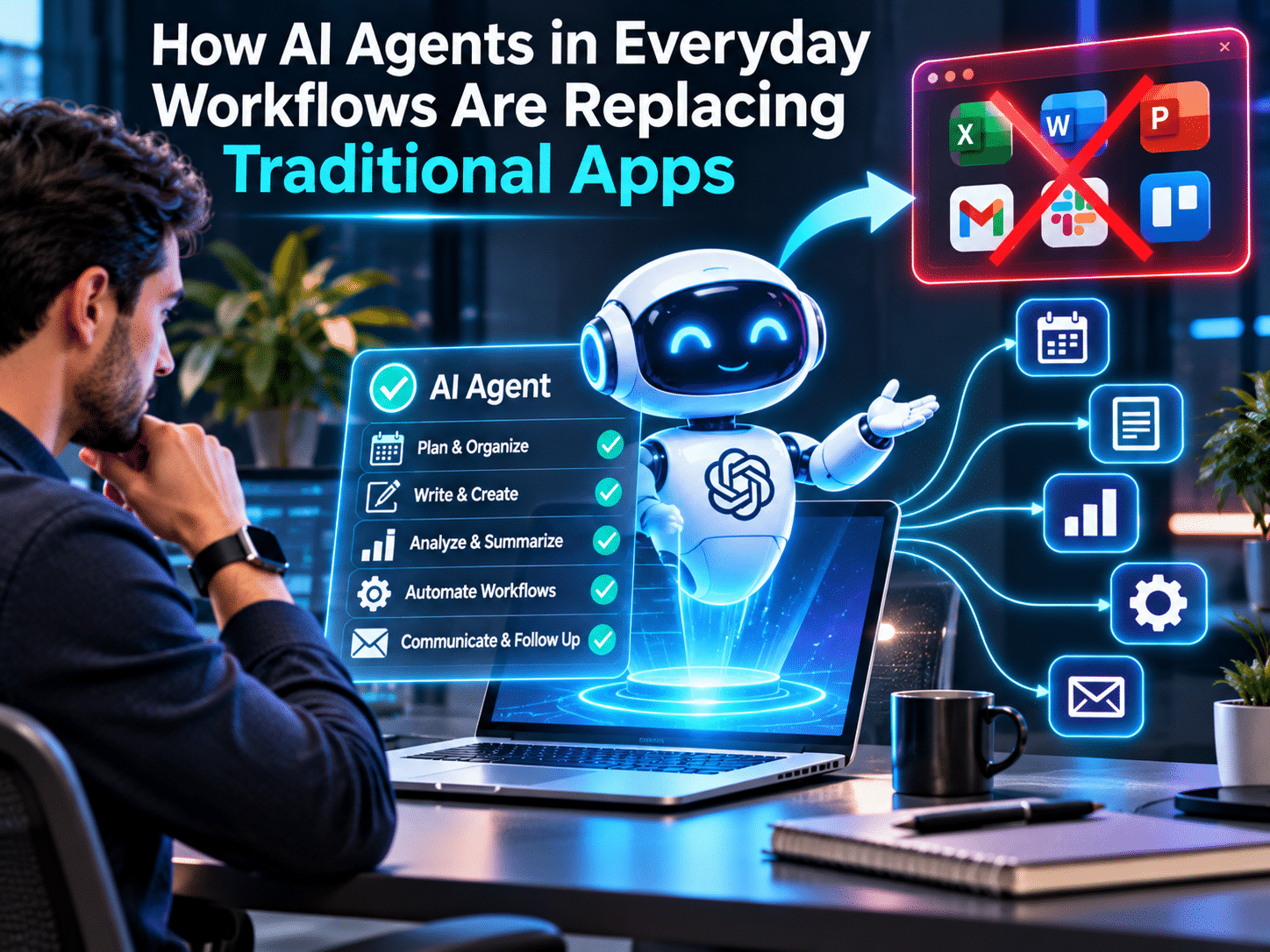
A typical working day can involve opening an email application, checking a calendar, updating a spreadsheet, reviewing a customer record and switching to a project management tool.
Each application serves a purpose, but moving information between them takes time.
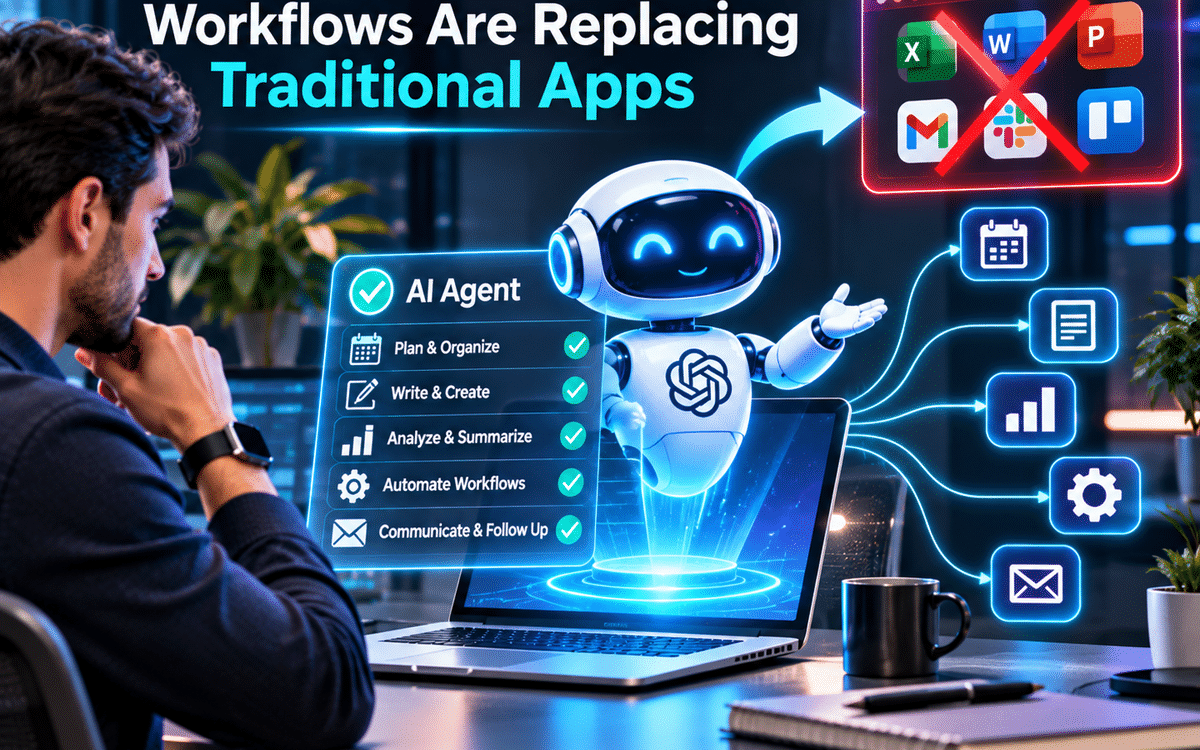
AI agents in everyday workflows are beginning to change that experience.
Instead of asking employees to navigate several applications manually, an AI agent can interpret a goal, gather information from connected systems and complete a sequence of authorised tasks.
For example, a business owner might ask an agent to review new customer enquiries, prepare a summary, draft responses and identify appointments that need scheduling.
The agent could use several existing applications to complete the work without requiring the user to open each one separately.
This represents a significant change in how people interact with software.
However, AI agents are not making traditional applications obsolete overnight. Most still depend on established software platforms, databases and integrations.
The real shift is from managing individual applications towards managing outcomes.
For UK businesses, this creates opportunities to reduce repetitive administration, improve coordination and make better use of existing digital systems.
It also introduces questions about reliability, privacy, cost and human oversight.
What Are AI Agents in Everyday Workflows?
AI agents are software systems that use artificial intelligence to interpret goals, plan tasks and take actions through connected tools or applications. Unlike basic chatbots that primarily generate responses, agents can perform multi-step activities such as retrieving information, updating records, preparing documents and coordinating work, subject to their permissions and available integrations.
An agent does not necessarily operate independently at all times.
Some agents require approval before taking action. Others can perform specific authorised tasks automatically within defined boundaries.
How AI Agents Differ from Ordinary Chatbots
A conventional chatbot generally responds to a question or instruction.
For example, it might explain how to organise a customer database.
An AI agent may go further by accessing an authorised customer relationship management system, identifying incomplete records and preparing proposed updates.
The distinction is between explaining a process and participating in its execution.
What Makes an AI Agent Autonomous?
Autonomy refers to the degree of independence a system has when carrying out a task.
A highly supervised agent may ask for approval at every important stage.
A more autonomous agent may be permitted to complete routine actions without repeated instructions.
Neither approach is automatically better.
The appropriate level of autonomy depends on the task, the consequences of mistakes and the organisation’s security requirements.
AI Agents vs Traditional Apps: What’s the Difference?
Traditional applications generally organise work around particular functions.
An email application manages messages. A calendar manages appointments. Accounting software records financial transactions.
Users interact with each application through its interface.
AI agents introduce a different approach.
Rather than requiring the user to navigate each system, an agent can coordinate actions across several applications in response to a broader instruction.
Traditional Apps Focus on Individual Functions
Consider a business preparing for a customer meeting.
An employee might manually search previous emails, open the CRM, review outstanding tasks and create a briefing document.
Each application provides useful functionality, but the employee coordinates the process.
AI Agents Focus on Completing Goals
With suitable integrations, an agent could retrieve the relevant customer history, identify unresolved issues and prepare a meeting briefing.
The employee would then review the information before the meeting.
The agent has not replaced the CRM, email system or document editor.
It has reduced the manual work required to use them together.
The Most Important Difference
Traditional apps provide tools for users to operate. AI agents can operate approved tools on the user’s behalf.
This changes the interface through which work gets done, even when the underlying applications remain essential.
Why Are AI Agents Starting to Replace Traditional App Workflows?
Several technological developments are making agent-based software more practical.
Better Natural Language Understanding
Modern AI systems can interpret instructions expressed in everyday language.
Users no longer need to describe every action as a rigid sequence of commands.
For example, an employee might request a weekly sales summary rather than manually specifying every data retrieval and formatting step.
However, natural language can be ambiguous. Agents still need clear instructions and reliable data.
Access to Connected Business Systems
Agents become more useful when they can work with existing applications.
Connections may be provided through APIs, approved integrations or controlled computer interfaces.
These allow agents to retrieve information and, where authorised, make changes.
Improved Multi-Step Task Handling
Some AI systems can divide a broad objective into smaller tasks.
They may gather information, analyse it, produce a draft and request approval before completing the next action.
This makes them more suitable for work that extends beyond a single question.
Growing Interest in Productivity
Businesses want to reduce repetitive administration without compromising service quality.
Agent-based workflows are attractive when employees spend substantial time moving information between systems.
Software Providers Are Changing Their Products
Major technology companies are incorporating agents directly into their platforms.
In July 2026, OpenAI introduced ChatGPT Work, designed to carry out extended tasks across connected applications and files.
Microsoft has also expanded Copilot Studio to bring applications, workflows and agents together.
These developments show that the industry is moving towards integrated agent-assisted work rather than simply abandoning existing applications. OpenAI+1
How Do AI Agents Work Across Multiple Applications?
An AI agent generally needs a goal, access to appropriate information and permission to use particular tools.
The underlying process can involve several stages.
Understanding the Request
The user provides an objective.
For example:
“Prepare a summary of this week’s customer enquiries and draft follow-up emails for those awaiting a response.”
The agent interprets the task and identifies the information required.
Retrieving Information
With appropriate permissions, the agent may access a shared inbox, CRM or spreadsheet.
It should retrieve only the information needed for the task.
Analysing and Organising Data
The agent can categorise enquiries, identify outstanding responses and prepare a summary.
However, its classifications may be incorrect and should be evaluated.
Preparing Actions
The system may draft follow-up messages or propose updates to customer records.
Requesting Approval
A responsible workflow can require an employee to approve outgoing communications or important changes.
Recording the Outcome
After approved actions are completed, the system may record what happened.
This helps employees understand the work performed and investigate mistakes.
Not every AI agent follows this exact process. Capabilities depend on the product, integrations and configuration.
How AI Agents Are Changing Everyday Office Work
Office administration is one of the clearest areas where agent-based workflows can reduce repetitive activity.
Email Management
An AI agent can help classify incoming messages, identify urgent requests and prepare draft replies.
For example, a consultancy receiving numerous enquiries could use an agent to distinguish new business requests from routine administrative messages.
However, automatic responses should be controlled carefully, particularly when dealing with sensitive or high-value customers.
Calendar Scheduling
Agents can assist with identifying suitable meeting times and preparing invitations.
A well-designed workflow should respect existing appointments, time zones and user preferences.
Document Preparation
An agent may gather information from approved files and produce a first draft of a report, proposal or meeting summary.
The employee remains responsible for checking factual accuracy and suitability.
Task Management
Agents can help identify outstanding work, organise updates and prepare reminders.
This can reduce the need to manually transfer information between messages and project management applications.
Research and Reporting
An agent may gather information from multiple authorised sources and prepare a structured report.
Source verification remains important because AI systems can misunderstand information or produce unsupported conclusions.
Real-World Examples of AI Agent Platforms
Agent-based workflows are already appearing in commercial software.
OpenAI ChatGPT Work
OpenAI introduced ChatGPT Work in July 2026 as an agent capable of handling substantial projects across applications and files.
Its capabilities include researching information, analysing materials and creating finished outputs.
OpenAI also offers workspace agents for eligible organisational plans, allowing teams to create shared agents that work with connected tools and organisational permissions. OpenAI+1
Microsoft Copilot Studio
Microsoft Copilot Studio supports the development of agents, workflows and applications.
Organisations can connect agents to business systems and configure how they respond to requests.
At Microsoft Ignite in November 2026, Microsoft highlighted expanded capabilities for coordinating business processes through agents, applications and workflows.
Some newer capabilities remain subject to preview availability or staged rollout. Microsoft Copilot Blog
What These Examples Demonstrate
Both approaches point towards software that can coordinate work across multiple systems.
However, they also show why traditional applications remain important.
Agents still need dependable information sources, structured records, permissions and interfaces for human review.
How AI Agents Are Transforming Digital Marketing
Digital marketing often involves multiple tools for planning, research, content, analytics and campaign management.
AI agents may help coordinate parts of these processes.
Content Planning
An agent could review an approved content calendar, identify upcoming publication dates and prepare draft briefs.
A marketer would still need to verify the research, assess the audience’s needs and approve the content.
SEO Reporting
Agents may help gather search performance information, identify changes and prepare reports.
For example, an agent connected to authorised analytics sources could summarise changes in organic traffic and highlight pages requiring investigation.
However, a decline in traffic does not automatically reveal its cause.
Human analysis remains important.
Social Media Management
An agent could help organise content ideas, prepare captions and schedule approved posts.
Brand voice, factual accuracy and audience sensitivity should still be reviewed.
Campaign Coordination
Marketing teams often transfer information between advertising platforms, spreadsheets and reporting systems.
Agents may reduce this administrative work by preparing consolidated summaries.
However, businesses should be cautious about allowing agents to change advertising budgets without approval.
Customer Research
Agents can organise customer feedback and identify recurring themes.
This may help marketers understand common questions or concerns.
However, conclusions should be based on reliable information rather than invented insights.
AI Agents in Ecommerce and Customer Support
Ecommerce businesses depend on connected systems for product information, customer communication, stock management and order processing.
These processes offer opportunities for AI-powered workflow automation.
Customer Enquiries
An agent could retrieve approved order information and draft a response to a delivery question.
For sensitive situations, such as disputes or complaints, human review may be appropriate.
Product Information
Agents may help identify incomplete product descriptions or inconsistent catalogue information.
However, changes to product specifications, prices or availability should be verified.
Order Administration
An agent could help staff locate orders requiring attention and prepare operational summaries.
It should not issue refunds, alter payments or change customer details without suitable authorisation.
Inventory Coordination
Agents may analyse information from inventory systems and highlight potential stock problems.
The reliability of the outcome depends on the quality and timeliness of the underlying data.
Customer Service Escalation
A well-designed agent should recognise when a problem requires human intervention.
Customers should not become trapped in an automated conversation when they need specialist support.
How AI Agents Can Help Small UK Businesses
Small and medium-sized enterprises often have limited administrative capacity.
This makes repetitive tasks particularly costly in terms of employee time.
Reducing Manual Administration
An agent could prepare weekly summaries, organise enquiries or draft routine communications.
This may allow employees to focus on work requiring personal attention.
Supporting Small Teams
A small business may not have separate departments for marketing, administration and customer service.
Agent-based workflows can help coordinate information across these functions.
Improving Response Preparation
Agents may help staff prepare quicker responses to common enquiries.
However, faster communication is valuable only when the information is accurate.
Organising Business Information
Small businesses frequently store information across documents, spreadsheets and email accounts.
An agent with carefully controlled access may help locate relevant information.
Avoiding Unnecessary Software Replacement
Businesses should not assume they need to replace existing systems to benefit from agents.
In many cases, integrating an agent with established tools may be more practical than rebuilding the entire technology environment.
What Are the Main Benefits of AI Agents in Everyday Workflows?
The potential benefits extend beyond faster task completion.
Less Application Switching
Employees may spend less time moving between systems when an agent coordinates approved actions.
Reduced Repetitive Work
Tasks involving information retrieval, document preparation and routine organisation may become easier to manage.
More Consistent Processes
An agent following clearly defined instructions can help standardise certain workflows.
However, consistency depends on the reliability of its instructions, tools and outputs.
Better Access to Information
Agents may help employees find relevant information across connected systems.
This is especially useful when business knowledge is distributed across multiple applications.
More Time for Human Judgement
Reducing administrative work may create more time for customer relationships, creative work and complex decisions.
Improved Workflow Visibility
Some platforms provide activity records showing what an agent attempted and completed.
These records can support accountability and troubleshooting.
The benefits are not guaranteed. Organisations should measure actual outcomes rather than assume that adopting AI will automatically improve productivity.
Which Traditional Apps Are Most Likely to Change?
The strongest impact is likely to occur in applications used for repetitive, information-heavy tasks.
Email and Calendar Applications
Users may increasingly manage messages and appointments through an AI assistant rather than opening separate interfaces for every action.
Project Management Tools
Agents may help create tasks, prepare status updates and identify outstanding work.
CRM Systems
AI agents could help retrieve customer information, prepare follow-ups and organise records.
Reporting and Analytics Software
Natural language requests may reduce the need to navigate multiple dashboards for routine reporting.
Document Management
Agents may help search, summarise and organise files.
Customer Support Platforms
Agents may handle some routine enquiries while escalating more complex situations to employees.
However, these applications are unlikely to disappear entirely.
Their databases, security controls, business rules and specialist interfaces remain valuable.
Why AI Agents Will Not Replace Every Traditional App
The idea that AI agents will replace all applications overlooks several practical realities.
Structured Interfaces Are Sometimes Better
A spreadsheet remains useful when someone needs to inspect many figures.
A design application provides visual controls that cannot always be replaced by conversation.
An accounting system offers structured records and established processes.
Natural language is not the best interface for every task.
Businesses Need Reliable Systems of Record
Customer databases, accounting ledgers and inventory platforms maintain structured information.
An AI agent may interact with these systems, but it does not necessarily replace their underlying functions.
Some Processes Require Predictability
Financial calculations, compliance procedures and other sensitive workflows may need deterministic rules.
A conventional software process can be preferable when the same input must produce a predictable result.
Human Review Remains Important
Some decisions involve legal, financial or reputational consequences.
Organisations need clear opportunities for employees to inspect information and approve actions.
Agents Depend on Integrations
If an agent cannot securely access a system, it may not be able to complete the requested task.
Connections can also fail or change.
The most realistic future is therefore a combination of AI agents, conventional applications and structured automation.
What Are the Biggest Risks of Autonomous AI Agents?
Greater autonomy introduces additional risks because agents may be permitted to take actions rather than merely generate text.
The UK’s National Cyber Security Centre has warned that agentic AI can increase the attack surface and make behaviour harder to predict and govern. National Cyber Security Centre
Incorrect Actions
An agent may misunderstand an instruction.
For example, it could select the wrong customer record or prepare an inaccurate update.
If the action is executed automatically, the consequences may extend beyond an incorrect written response.
Excessive Permissions
An agent with access to numerous systems may be able to retrieve or modify more information than necessary.
Permissions should reflect the minimum access required for the task.
Prompt Injection
An agent may encounter malicious instructions hidden in a document, webpage or message.
If it treats that content as authoritative instructions, it could behave in unintended ways.
This is particularly important for agents that read external material and can take actions through connected tools.
Confidentiality Risks
Agents may process customer information, commercial documents or internal business records.
Organisations need to understand where information is processed and which parties can access it.
Unauthorised Transactions
Allowing an agent to send payments, approve refunds or modify important records without oversight can create substantial risks.
Poor Accountability
If employees cannot determine what an agent did or why, investigating mistakes becomes difficult.
Activity logs and clear responsibility are important.
UK GDPR and Data Protection Considerations
UK businesses using AI agents must consider how personal information is collected, accessed and processed.
The Information Commissioner’s Office has published analysis of the privacy risks associated with agentic AI.
It highlights issues involving data minimisation, access permissions, automated decision-making and maintaining oversight. ICO
Data Minimisation
An agent should access only the personal information necessary for its authorised purpose.
Giving an agent unrestricted access to every customer record simply because the information might be useful later is difficult to justify.
Lawful Processing
Organisations need an appropriate lawful basis for processing personal data.
Using an AI agent does not remove this requirement.
Transparency
People should receive appropriate information about how their personal data is used.
This may be particularly important when automated systems influence decisions affecting individuals.
Automated Decision-Making
Certain solely automated decisions that have legal or similarly significant effects on individuals are subject to specific UK data protection requirements.
Organisations should assess whether these rules apply to a proposed agent workflow.
Supplier Arrangements
Businesses should understand whether an AI provider acts as a processor or controller in the relevant circumstances.
Contracts, international data transfers, security measures and retention practices may require review.
Human Oversight
A person should be able to intervene meaningfully where the nature of the decision or applicable law requires it.
Simply displaying an approval button is not sufficient if employees lack the information needed to assess the decision.
How Much Does AI Workflow Automation Cost?
The cost of adopting AI agents depends on the technology, usage and complexity of the workflow.
There is no single price that applies to every business.
Software Subscriptions
Some platforms charge recurring subscription fees.
Access to advanced agents or particular integrations may require additional plans.
Usage-Based Charges
Certain services charge according to model usage, tasks, credits or other consumption measures.
High-volume workflows can therefore create variable costs.
Integration Expenses
Connecting an agent to existing business systems may require technical configuration or development.
Staff Training
Employees need to understand how to use agents, review outputs and report problems.
Security and Governance
Businesses may need to invest in permission management, monitoring, testing and documentation.
Ongoing Maintenance
Integrations, business processes and software features change.
Agent workflows may require updates and periodic re-evaluation.
Calculating Return on Investment
A useful starting point is to compare the total cost of the workflow with the value of time saved and the quality of the resulting work.
For example, suppose a small business spends £150 per month on an agent-supported workflow.
If it saves ten hours of administrative work monthly, the business can compare that time saving with the actual cost of the employee’s time.
However, it should also consider review time, implementation expenses and errors.
These figures are illustrative, not a claim about typical AI agent pricing or guaranteed savings.
How Can UK Businesses Start Using AI Agents?
The most effective approach is usually to begin with a limited workflow rather than attempting to automate an entire organisation.
Identify a Repetitive Task
Look for work involving repeated information retrieval, organisation or document preparation.
Good initial candidates often have clear objectives and limited consequences if a draft contains an error.
Understand the Existing Process
Document which applications, people and approvals are involved.
This helps identify where automation could add value.
Choose Appropriate Tools
Evaluate whether the selected platform supports the required integrations, permissions and oversight.
Avoid choosing a product solely because it offers the greatest apparent autonomy.
Start with Read-Only Access
Where practical, begin by allowing the agent to retrieve information and prepare recommendations without changing records.
This reduces risk during early testing.
Require Approval for Important Actions
Customer communications, financial transactions and sensitive record changes should have appropriate authorisation controls.
Test with Realistic Scenarios
Use representative examples, including incomplete information and unusual requests.
Check how the agent handles errors and uncertainty.
Measure Performance
Evaluate accuracy, time saved, review effort, user satisfaction and operational costs.
Expand Gradually
Once a workflow performs reliably, consider additional capabilities.
Maintain clear ownership of the system and review permissions regularly.
How to Choose Between an AI Agent and Traditional Automation
Not every workflow needs an AI agent.
Use Traditional Automation for Predictable Rules
If a task follows a fixed sequence with clearly defined conditions, conventional automation may be more reliable and less expensive.
For example, automatically sending a receipt after a successful purchase generally does not require advanced AI reasoning.
Use AI Agents for Variable Information
Agents may be more useful when tasks involve interpreting documents, understanding natural language or coordinating several steps.
For example, categorising varied customer enquiries and preparing appropriate draft responses may benefit from AI.
Combine Both Approaches
Many business processes work best when agents handle interpretation and conventional software handles predictable actions.
An agent could classify a customer request, while a rule-based workflow routes it to the appropriate team.
This approach can provide flexibility without making every step dependent on AI-generated decisions.
What Does the Future of AI Applications Look Like?
The direction of software development suggests that AI agents will become a more familiar way to interact with digital services.
However, their impact will vary across industries and tasks.
More Natural Language Interfaces
Users may increasingly describe what they want to achieve rather than navigate numerous menus.
More Connected Workflows
Agents may coordinate information and actions across business systems.
Greater Human-Agent Collaboration
Employees may delegate routine preparation while retaining control over important decisions.
Stronger Governance Requirements
As agents gain access to more systems, organisations will need better permission controls, monitoring and accountability.
Applications Will Continue to Evolve
Traditional software providers are likely to integrate more agent capabilities into their existing products.
Microsoft’s approach of combining applications, workflows and agents illustrates this direction.
More Attention to Measurable Value
Businesses will increasingly need to distinguish useful automation from expensive experimentation.
The strongest applications will be those that improve outcomes without creating unacceptable risk or complexity.
Conclusion: Are AI Agents Really Replacing Traditional Apps?
AI agents in everyday workflows are changing how people interact with software.
Instead of manually moving between email, calendars, documents and business systems, users can increasingly delegate connected tasks to AI-powered assistants.
This can reduce repetitive work, improve information access and make everyday processes easier to coordinate.
However, the idea that agents will completely replace traditional applications is misleading.
Most agents still depend on existing databases, software platforms and integrations.
They also introduce risks involving accuracy, permissions, privacy and accountability.
For UK businesses, the practical opportunity lies in identifying where agent-based automation can improve a specific workflow while retaining appropriate human oversight.
The future is less about replacing every app with an AI agent and more about making existing software work together around the outcomes people want to achieve.
10. FAQ Section
What are AI agents in everyday workflows?
AI agents are software systems that use artificial intelligence to interpret goals and perform tasks through connected tools. They can help retrieve information, prepare documents, organise records and coordinate multi-step activities, depending on their permissions.
Are AI agents replacing traditional apps?
AI agents are beginning to replace some manual interactions with applications, but they are not eliminating the underlying software. Many still depend on email systems, databases, CRM platforms and other business tools.
What is the difference between an AI agent and a chatbot?
A chatbot primarily responds to questions or generates content. An AI agent can also use authorised tools to complete actions and coordinate multiple steps towards a goal.
Can AI agents work across multiple applications?
Yes, when suitable integrations and permissions are available. An agent may retrieve information from one system, process it and prepare an action in another.
How can small UK businesses use AI agents?
Small businesses can explore agents for administrative summaries, enquiry organisation, draft communications, document preparation and routine reporting. Starting with low-risk workflows is generally advisable.
Are autonomous AI agents safe for business use?
They can be useful when properly configured, but they introduce risks involving incorrect actions, excessive permissions, prompt injection and personal data. Security controls and human oversight remain important.
Do AI agents comply with UK GDPR?
Compliance depends on how the agent is configured and used. Businesses must consider lawful processing, data minimisation, transparency, security and any applicable automated decision-making requirements.
Will AI agents replace employees?
Agents may automate particular tasks, but this does not establish that they will replace entire roles. Human judgement, accountability, relationship management and oversight remain important.

Make Your Business Workflows Simpler and More Effective
AI agents are changing how businesses use digital tools, but improving productivity still begins with understanding the processes that matter most.
At CRAZILS, we help UK businesses and international clients improve their digital presence and customer experiences through Web Design & Development, Ecommerce Solutions, UI/UX Design, Digital Marketing, SEO, Business Consultancy and Website Maintenance & Support.
Whether you’re looking to improve your website, simplify the customer journey or develop a clearer digital growth strategy, we can help you explore practical solutions suited to your business goals.
Contact CRAZILS to discuss your next digital project.
Website: https://crazils.com
Email: info@crazils.com
Phone / WhatsApp: +44 7897 053081
CRAZILS — Digital Solutions. Real Growth.