
Talking to an artificial intelligence assistant usually means typing a question or listening to a voice without seeing who is speaking. Meta is introducing a different experience: an AI assistant that appears on screen, responds in real time and uses expressions and gestures during a conversation.
On 5 November 2026, Meta Platforms announced the rollout of voice conversations and expressive avatars for Muse, its personal AI agent.
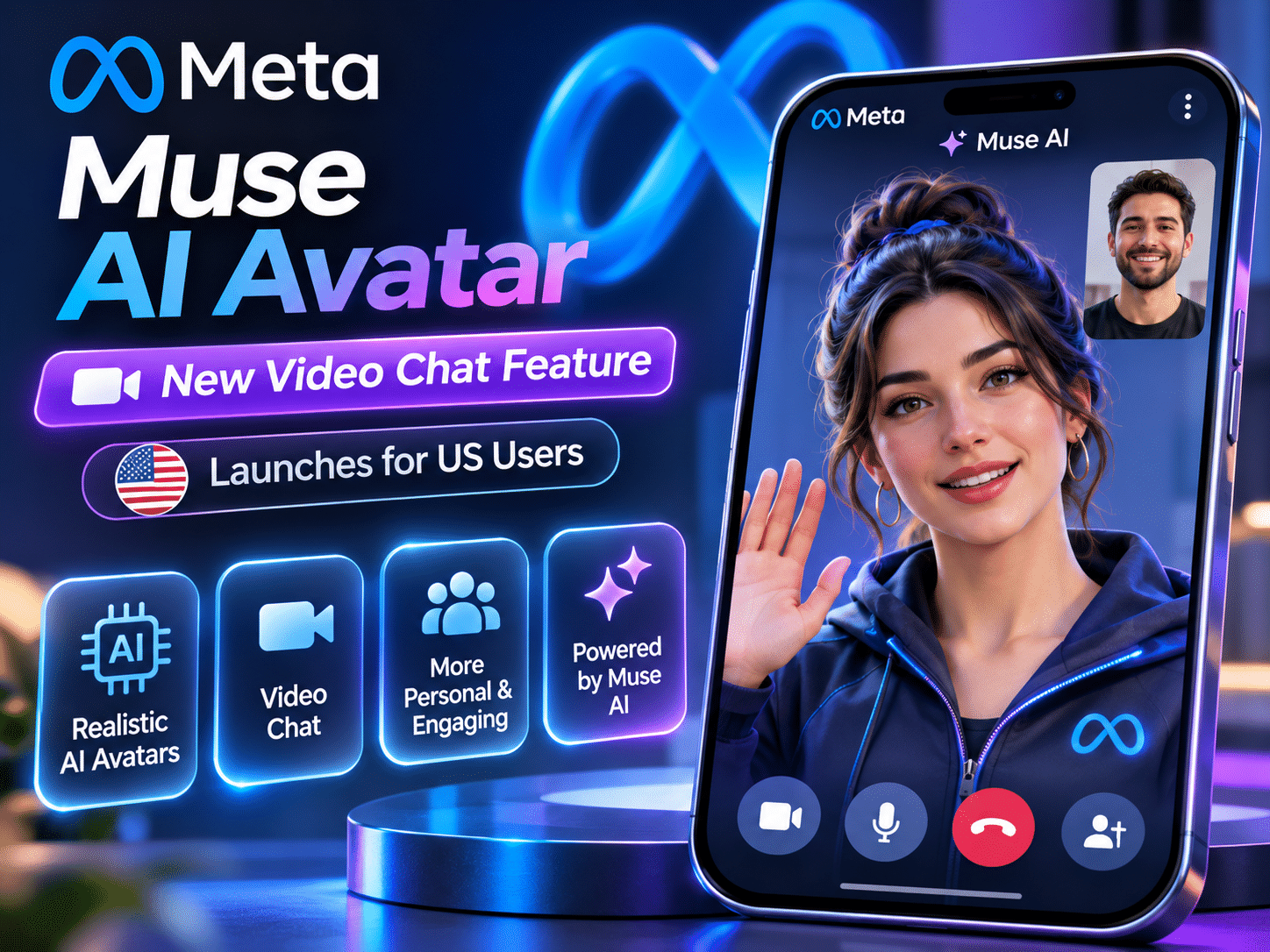
The update allows users in the United States to speak directly with their Muse assistant and choose whether to display an animated avatar during the conversation.
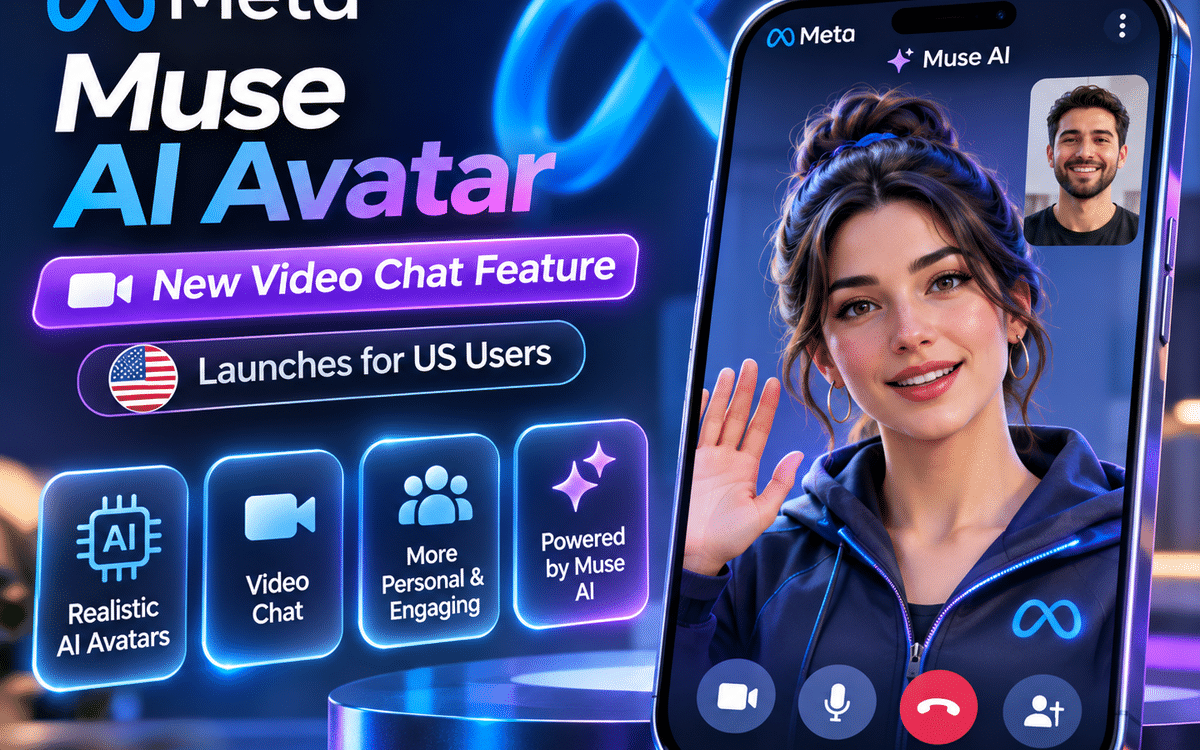
Unlike a conventional chatbot, the Meta Muse AI Avatar can react while someone is speaking, respond with synchronised speech and movements, and support interruptions during a live conversation.
The feature builds on technology Meta demonstrated at its Connect 2026 conference in September.
It is now rolling out through the Muse app on mobile devices, the web and Mac computers.
For UK users, however, the new functionality is not yet confirmed as available. Meta has described the initial rollout as US-only and has not provided an official British launch date.
This article explains what Meta has introduced, how Muse AI video chat works, its main features and what the development could mean for the future of AI-powered communication. About Facebook+1
What Is the Meta Muse AI Avatar?
The Meta Muse AI Avatar is an animated digital character that represents Meta’s Muse AI assistant during real-time conversations. It combines conversational artificial intelligence, speech generation and responsive animation so users can talk to an assistant that appears to listen, speak and react through facial expressions and gestures.
The avatar provides a visual presence for Muse rather than replacing the underlying AI assistant.
Muse can help users explore ideas, discuss plans and work through certain tasks. The avatar makes these interactions more conversational by adding visible responses.
For example, someone preparing for a job interview could speak to Muse and see an animated character responding during the practice session.
The experience is designed to resemble a face-to-face conversation, although the character is computer-generated rather than a real person.
What Is Muse?
Muse is Meta’s personal AI agent.
It is intended to help users with activities such as brainstorming, planning and completing supported tasks.
The new voice functionality allows people to interact with Muse without relying entirely on typed prompts.
Meta’s official announcement describes voice as a way to think aloud while the assistant follows the conversation and continues working on relevant tasks.
Is Muse the Same as Meta AI?
Muse is part of Meta’s wider artificial intelligence efforts, but users should not assume that every Meta AI product has the same features.
The newly announced avatar experience is specifically associated with the Muse app.
Meta has not announced that this exact functionality is immediately available across every product it operates, including WhatsApp, Instagram and Facebook.
What Did Meta Announce on 5 November 2026?
Meta introduced the new feature in an official announcement titled Give Your Muse a Voice.
The company confirmed that voice conversations and expressive avatars were beginning to roll out to US users.
The announcement highlighted several developments.
Users can speak naturally to Muse instead of typing every request.
They can choose between voice-only interaction, an avatar displayed alongside the conversation or a full-screen avatar experience.
The assistant can respond with expressions and gestures that reflect the conversation.
Users can also interrupt Muse while it is speaking, making the interaction more flexible than a simple sequence of recorded questions and answers.
Meta confirmed support for mobile, web and Mac, with future plans to bring voice interactions to AI glasses and Muse Charm.
The company presented the update as a step towards making personal AI agents easier to communicate with during everyday activities. About Facebook
How Does Muse AI Video Chat Work?
Muse AI video chat combines speech processing, conversational AI and real-time animation.
The user speaks to the assistant through a supported device.
Muse interprets the request, generates a response and produces speech.
At the same time, its avatar displays movements and expressions intended to match the spoken response.
Step 1: Start a Voice Conversation
Users open the Muse app and select the phone icon in the upper-right corner.
This starts a real-time conversation with the AI assistant.
The user can then speak rather than type.
Step 2: Muse Interprets the Request
The assistant processes the user’s spoken input and determines how to respond.
Depending on the request and supported capabilities, it may answer a question, help develop an idea or work through a task.
Step 3: The AI Generates Speech
Muse Realtime Voice supports the spoken interaction.
Meta says the technology is designed to make conversations feel more immediate and natural.
Users can interrupt when they want to clarify a question or change direction.
Step 4: The Avatar Responds Visually
Muse Realtime Avatar generates the visual representation.
The character can show expressions and gestures while speaking.
It also reacts while listening, creating the impression of a more attentive conversation.
Step 5: Continue the Conversation Naturally
Users can ask follow-up questions, interrupt an answer or explore a different subject.
This flexibility is important because natural conversations rarely follow a perfectly structured sequence.
The result is an AI interaction that combines voice and animation rather than relying on a static interface.
Key Features of Meta Muse AI Video Chat
The update introduces several capabilities that distinguish Muse from a basic text-based assistant.
1. Real-Time Voice Conversations
Users can speak directly to Muse and receive spoken responses.
This may be useful when typing is inconvenient, such as while cooking, walking or organising activities.
Voice interaction can also help users express ideas before they have worked out exactly how to phrase them.
2. Expressive Animated Avatars
The avatar can display facial expressions and gestures during a conversation.
Meta says these movements are intended to reflect the tone of the exchange.
This visual feedback may make interactions feel more engaging, although user preferences will vary.
Some people may find animated assistants helpful, while others may prefer a simpler voice-only experience.
3. Customisable Voices
Meta says Muse offers hundreds of voice options.
Users can select different speaking styles and personalities.
For example, Meta describes the possibility of choosing a New York-style voice or a pirate-inspired character.
The goal is to let people choose a presentation style that suits their preferences.
Voice customisation changes how the assistant sounds; it should not be confused with a guarantee that its underlying knowledge or reliability changes.
4. Avatar Customisation
The experience supports different character appearances.
TechCrunch reported that users can customise avatars to resemble people, animals or other characters.
One example shown by Meta’s chief AI officer, Alexandr Wang, involved a fluffy white dog avatar responding during a conversation.
The available character choices may depend on the current version of the product. TechCrunch
5. Voice-Only Mode
Not every user wants to watch an animated character.
Meta allows conversations without displaying the avatar.
This gives people the option to focus on spoken interaction.
6. Full-Screen Avatar Conversations
Users can also display the avatar prominently on screen.
This is the mode most closely associated with the idea of AI video calling.
It is important to understand that the user is not calling another human being. The visual participant is an AI-generated character.
7. Interruptible Conversations
Muse can respond when a user interrupts.
This makes it easier to clarify a question or change direction without waiting for a long answer to finish.
The ability to handle interruptions is an important part of making AI conversations feel less rigid.
8. Assistance While Performing Other Activities
Meta says Muse can continue helping with supported tasks while the user talks.
For example, someone could discuss travel plans while walking or work through a presentation idea while preparing for a meeting.
The assistant’s actual task capabilities depend on the available product features and permissions.
How to Start a Video Chat with Muse AI
For users in the supported US rollout, the basic process is straightforward.
- Open the Muse app on a supported mobile device, web browser or Mac.
- Sign in to the relevant Muse account.
- Open a conversation with Muse.
- Tap or click the phone icon in the top-right corner.
- Allow microphone access if the application requests it.
- Choose the preferred conversation display, such as voice-only or an avatar view.
- Begin speaking to Muse.
- Adjust the available voice or avatar settings if desired.
The exact interface may change as Meta continues developing the product.
Users outside the United States should not assume that the feature will appear in their accounts immediately.
What Technology Powers the Meta Muse AI Avatar?
The new experience relies on two technologies developed by Meta: Muse Realtime Voice and Muse Realtime Avatar.
Meta introduced the underlying avatar research on 23 September 2026.
The research describes a system designed to generate animated characters during live conversations rather than producing a complete video in advance. Meta AI Research
Muse Realtime Voice
Muse Realtime Voice supports the conversational audio experience.
It processes the interaction and generates a stream of speech information.
That information includes elements associated with what the assistant says and how the speech is delivered.
This stream can then be used by the avatar system.
Muse Realtime Avatar
Muse Realtime Avatar converts the relevant speech information and visual references into animated output.
Rather than simply attaching mouth movements to a finished audio recording, Meta’s research describes a more closely integrated approach.
The technology generates short sections of video as the conversation progresses.
This helps the avatar respond continuously.
Why Speech Synchronisation Matters
An avatar can feel unnatural if its mouth movements, expressions or gestures do not match its speech.
Meta’s approach aims to coordinate the voice and visual output.
The goal is to make the character appear more consistent during a conversation.
This does not mean the system will always produce perfect animation.
Real-world performance can vary depending on the application, device and conversation.
How Fast Is the Technology?
Meta’s research reported approximately 870 milliseconds from the end of a user’s speaking turn to the first byte of the synchronised audio and video response.
This is a research-reported response-start measurement, not a guarantee that every conversation will have the same delay.
It also does not represent the time required to finish an entire answer.
The figure helps explain Meta’s focus on reducing the time between a user speaking and the avatar beginning its response. Meta AI Research
Does Muse Generate a New Video Every Time?
The technology produces animated output during the conversation.
It is not the same as playing a fixed video clip for every possible answer.
However, the precise appearance and animation options available in the consumer app may be more limited than the full range demonstrated in Meta’s research.
That distinction is important when evaluating promotional demonstrations.
How Customisable Are Meta’s AI Avatars?
One of Muse’s distinguishing features is the ability to personalise how the AI assistant appears and sounds.
Rather than assigning every user the same digital character, Meta is experimenting with a more flexible approach to AI identity.
Human-Like Characters
Users may choose avatars with human-like appearances.
These characters can use facial movements and gestures during conversations.
A human-like presentation may be particularly relevant to interview practice, language learning or presentation rehearsal.
However, the character remains an artificial representation. Its appearance should not be mistaken for evidence of human understanding or professional qualifications.
Animal and Animated Characters
Meta has also demonstrated non-human characters.
Animals and illustrated figures can provide a less formal experience than a realistic digital person.
For example, an animated dog may feel more suitable for casual conversations than a human-looking assistant.
These choices reflect an important design consideration: people may prefer different kinds of AI personalities for different activities.
Voice Personalisation
Users can adjust the assistant’s voice to suit their preferences.
A conversational voice may work well for brainstorming, while another style may feel more appropriate for practising a presentation.
The available options provide flexibility, although a particular voice or personality does not make the assistant more accurate.
Can Users Create Any Avatar They Want?
Meta’s research demonstrates the ability to animate a broad range of reference images, including illustrations, animals and human portraits.
However, that research demonstration should not be confused with a guarantee that every customisation option is available in the public Muse app.
The exact range of supported user-uploaded images, characters and visual settings should be confirmed through Meta’s current product documentation.
Meta Muse AI Avatar vs Traditional AI Chatbots
The main difference between Muse’s new experience and a conventional chatbot is how users communicate with the assistant.
Text-Based AI Chatbots
Traditional chatbot interfaces primarily rely on typed questions and written responses.
This approach works well for activities such as drafting documents, reviewing information and working with detailed instructions.
Written conversations also make it easier to examine exact wording and revisit previous answers.
Voice-Based AI Assistants
Voice assistants allow users to speak and listen.
This can be convenient when their hands are occupied or when they want to discuss an idea naturally.
However, a voice-only assistant provides limited visual feedback.
AI Assistants with Animated Avatars
Muse adds a visible character to the voice conversation.
The avatar can react, gesture and appear to maintain attention during the interaction.
This may make certain activities feel more engaging.
For example, practising a presentation with a responsive character may feel different from reading a chatbot’s written feedback.
However, visual realism does not automatically improve the quality of the underlying answer.
Is Muse Better Than Other AI Assistants?
That depends on what the user needs.
An animated avatar may be useful for conversational practice or casual interaction.
A text interface may be preferable for detailed research, programming, editing or reviewing complex information.
Muse’s avatar technology should therefore be evaluated as an interaction feature rather than proof that its underlying AI is more capable than competing systems.
Practical Uses of Muse AI Video Chat
Meta has highlighted several everyday situations where real-time voice conversations may be useful.
1. Practising Job Interviews
A user could ask Muse to simulate a job interview.
The assistant might ask questions, respond to answers and help the user rehearse their presentation.
An animated avatar could make the exercise feel more conversational.
For UK jobseekers, this type of practice may be useful when preparing for interviews, although the assistant’s feedback should not be treated as a definitive assessment of hiring prospects.
2. Rehearsing Business Presentations
Professionals could use Muse to practise a presentation or pitch.
Speaking aloud helps reveal unclear explanations, awkward phrasing and sections that need improvement.
The assistant may also help generate follow-up questions.
This could be useful for people preparing to speak with colleagues, customers or prospective clients.
3. Planning Travel
Meta specifically highlights travel planning as a potential use.
Someone could discuss destinations, preferences and possible activities without preparing a detailed written prompt.
The assistant may help organise ideas as the conversation develops.
However, users should verify important details such as prices, opening hours, visa requirements and transport availability through official sources.
4. Brainstorming Creative Ideas
Content creators, marketers and other professionals often develop ideas through conversation.
Muse could provide a way to discuss a campaign concept, video idea or creative project while receiving immediate responses.
This may help users explore several possibilities before selecting a direction.
5. Learning and Explaining Concepts
Conversational AI can support informal learning by answering questions and explaining unfamiliar concepts.
A visible character may make the experience more engaging for some users.
Nevertheless, AI-generated explanations can contain errors.
Important educational, medical, legal and financial information should be checked against trustworthy sources.
6. Everyday Organisation
Voice interaction can make it easier to discuss tasks while carrying out other activities.
For example, a user might ask Muse to help organise a schedule or think through a shopping plan.
The assistant’s ability to perform actions depends on its supported integrations and permissions.
It should not be assumed that the avatar can access or control every application on a user’s device.
What Does Meta Muse Mean for UK Businesses?
Although the feature is initially available in the United States, its development is relevant to UK organisations interested in digital communication and customer experience.
The most important implication is not that every business needs an animated AI assistant.
It is that conversational interfaces are becoming more varied.
More Natural Digital Interactions
Many businesses currently use website forms, search tools and text-based chat interfaces.
Voice and avatar technologies could eventually provide additional ways for customers to interact with digital services.
For example, a future online service might explain product information through a spoken conversation.
However, such applications would need careful design, accessibility support and accurate information.
Opportunities for Customer Support
AI-powered avatars could potentially be used to explain common questions, guide customers through processes or provide basic product information.
For businesses, the practical value would depend on whether the experience improves customer outcomes.
An animated assistant that provides inaccurate answers or makes simple tasks more complicated would offer limited benefit.
Digital Marketing and Brand Communication
Marketers may be interested in using conversational characters to present information or support interactive experiences.
However, the visual novelty of an avatar should not replace a clear message.
For most businesses, useful content, straightforward navigation and dependable customer service remain more important than adopting a particular AI interface.
User Experience Design
The Muse launch raises questions about how digital interfaces should respond to different user preferences.
Some customers may enjoy speaking with an animated character.
Others may prefer typing, reading or communicating with a human representative.
Effective UI/UX design should provide appropriate choices rather than forcing everyone into one interaction method.
Accessibility Considerations
Voice interfaces may help some people who find typing difficult.
However, they can also create barriers for users who are deaf, hard of hearing, have speech differences or prefer written communication.
Businesses considering conversational AI should account for accessibility from the beginning.
Providing text alternatives, readable transcripts and conventional navigation can help create a more inclusive experience.
Privacy and Safety Concerns with AI Video Avatars
Realistic and expressive AI characters introduce privacy, trust and safety questions.
These concerns are relevant even when an avatar is used for ordinary conversations.
Voice Data and Personal Information
Voice conversations may involve personal information.
Users should understand how the application processes audio, what information is retained and which privacy controls are available.
Meta’s product announcement describes the new experience but should not be interpreted as a complete statement of every data retention or training practice.
For detailed information, users should review the applicable Muse privacy documentation.
Emotional Attachment to AI Characters
An expressive avatar may feel more personal than a text interface.
Facial expressions, gestures and natural speech can encourage users to respond socially.
This may make conversations more enjoyable, but it can also create unrealistic expectations.
An AI character is not a human friend, therapist or qualified professional simply because it appears responsive.
Users should maintain a clear understanding of the system’s limitations.
Impersonation and Synthetic Media
AI avatar technology can create convincing animated characters.
That raises questions about identity, consent and misuse.
Businesses and individuals should be cautious about creating or sharing digital likenesses of real people without appropriate permission.
The ability to animate a reference image does not establish that every possible use is authorised or lawful.
Misinformation and Inaccurate Responses
An avatar can deliver an incorrect answer in a confident, friendly voice.
The visual presentation may make the response appear more trustworthy than it deserves.
Users should verify important claims, particularly when they concern health, finances, legal obligations or safety.
Protecting Children and Vulnerable Users
Highly engaging AI characters may require additional safeguards when used by children or vulnerable individuals.
Age restrictions, appropriate content controls and clear explanations of the system’s artificial nature are important considerations.
Meta’s research capabilities should not be taken as evidence that every form of avatar interaction is suitable for every age group.
Is Meta Muse AI Avatar Available in the UK?
As of 6 November 2026, Meta has announced the new Muse voice and expressive avatar rollout for users in the United States. No confirmed UK release date has been published.
The rollout covers the Muse app on mobile, web and Mac in the supported market.
Meta has not announced a specific timetable for expansion to Britain. About Facebook
When Will Muse AI Video Chat Launch in Britain?
There is currently no confirmed date.
International expansion may depend on product testing, language support, regulatory considerations and Meta’s commercial plans.
These are possible considerations rather than an officially confirmed explanation for the US-first rollout.
UK users should monitor Meta’s official announcements for changes in availability.
Can UK Users Access Muse Through Facebook or WhatsApp?
The new feature should not be assumed to be available through Facebook, Instagram or WhatsApp simply because those services are operated by Meta.
The 5 November announcement specifically concerns the Muse experience.
Availability of other Meta AI features does not establish access to Muse Realtime Avatar.
Is Muse AI Video Chat Free?
Meta’s launch announcement does not establish a separate, universal price for the avatar feature.
Users should check the official Muse product and subscription information for their accounts.
It would be misleading to assume that every avatar capability is free, or that a particular subscription automatically guarantees access in an unsupported region.
Which Devices Support Meta Muse AI Video Chat?
Meta has confirmed that the new voice and avatar conversations are rolling out through the Muse app on supported mobile devices, the web and Mac.
This gives users several ways to interact with the assistant.
Mobile Devices
Mobile access may be particularly convenient for everyday conversations.
Users can speak while moving between activities rather than sitting at a computer.
Web Browsers
Web access allows users to start conversations from a supported browser.
This may suit people who want to discuss ideas while working on a computer.
Mac Computers
Meta has also confirmed Mac support.
Users can interact with Muse through the relevant desktop experience.
Meta AI Glasses
Meta says voice conversations with Muse are planned for its AI glasses.
This could allow users to interact with the assistant through a wearable device.
However, planned support should not be described as already available.
Muse Charm
Meta has also identified Muse Charm as a future device for voice interactions.
The product is part of Meta’s broader effort to bring personal AI agents beyond conventional phone and computer interfaces.
Its precise capabilities, availability and pricing should be checked against official announcements when released.
What Is Muse Charm?
Muse Charm is an upcoming hardware product associated with Meta’s personal AI agent.
TechCrunch has described it as a small, Tamagotchi-like wearable device that could display an animated AI character.
The concept involves giving Muse a dedicated physical interface rather than requiring every interaction to take place through a conventional application.
Meta says voice conversations are planned for Muse Charm.
However, the device should be distinguished from the functionality already rolling out in the Muse app.
A future hardware announcement does not guarantee that all software features will work identically across devices. TechCrunch+1
Could AI Avatars Change Social Media and Digital Communication?
The introduction of expressive AI avatars reflects a broader shift towards more interactive forms of digital communication.
Text remains useful, but voice and animated interfaces can offer different experiences.
From Written Commands to Conversations
Many AI systems still rely heavily on users writing instructions.
Voice interaction allows people to explain what they want as they think.
This may reduce the effort involved in formulating detailed prompts.
More Personalised Digital Characters
AI avatars may become increasingly adaptable in appearance, voice and interaction style.
That could lead to new experiences in education, entertainment, customer service and digital content.
However, personalisation must be balanced against privacy and consent.
New Possibilities for Content Creators
Creators may eventually use interactive characters to explain ideas or engage audiences.
The usefulness of these experiences will depend on audience preferences and the quality of the underlying content.
It would be premature to assume that Meta’s new consumer avatar technology is available as a developer tool for third-party applications.
A Greater Need for Transparency
As AI-generated characters become more realistic, users need to understand when they are interacting with a machine.
Clear disclosure and responsible design will be important for maintaining trust.
Can Developers Build Their Own Apps Using Muse Realtime Avatar?
Meta has published research explaining the technology behind Muse Realtime Avatar.
However, the 5 November consumer rollout does not establish general availability of a public developer API for the avatar system.
Businesses should not assume they can immediately integrate the same technology into their websites or applications.
Developers considering AI avatar experiences should verify whether an official API, software development kit or commercial integration programme is available.
Until Meta announces such access, the consumer Muse experience and a third-party development platform should be treated as separate things.
The Future of Meta Muse AI Avatars
Meta’s new voice and avatar capabilities suggest several possible directions for personal AI assistants.
More Expressive Conversations
Future systems may become better at coordinating speech, facial expressions and gestures.
This could make interactions smoother, although improvements should be judged through real-world use rather than demonstrations alone.
Wider Device Integration
Meta has already identified AI glasses and Muse Charm as planned destinations for voice interaction.
This could expand how people communicate with AI beyond smartphones and computers.
International Expansion
A wider rollout could eventually make the technology accessible to more users.
However, there is no confirmed UK launch timetable.
More Practical AI Assistance
The long-term value of an expressive avatar will depend on what the assistant can reliably help people accomplish.
A convincing digital character may attract attention, but accuracy, usefulness, privacy and user control will determine whether people continue using it.
Stronger Expectations Around Responsible AI
As AI characters become more human-like, questions about identity, consent, emotional influence and transparency are likely to become more important.
Businesses adopting similar technologies should consider these issues alongside the potential benefits.
Conclusion: What Meta’s New Muse AI Avatar Means for the Future
The Meta Muse AI Avatar introduces a more visual and conversational way to interact with Meta’s personal AI assistant.
Launched in the United States on 5 November 2026, the new functionality combines real-time voice conversations with animated characters that respond through expressions and gestures.
Users can choose different voice styles, adjust how the avatar appears during conversations and interrupt the assistant naturally.
The technology builds on Meta’s Muse Realtime Voice and Muse Realtime Avatar research, which aims to bring speech and animation together in a responsive system.
For UK consumers, the main limitation remains availability. Meta has not announced when the new feature will launch in Britain.
For businesses and digital professionals, the development offers a useful glimpse of how conversational interfaces may evolve.
However, animated AI assistants should be evaluated on their practical usefulness, accuracy, accessibility and privacy protections rather than visual novelty alone.
Meta’s Muse launch shows that AI conversations are becoming more expressive, but the most valuable assistants will still be those that help people accomplish real tasks reliably.
10. FAQ Section
What is the Meta Muse AI Avatar?
The Meta Muse AI Avatar is an animated digital character representing Meta’s Muse AI assistant. It uses real-time voice and animation technology to respond during conversations with facial expressions, gestures and spoken answers.
Is Meta Muse AI video chat available in the UK?
No UK launch has been confirmed as of 6 November 2026. Meta announced an initial rollout in the United States, with no specific timetable for British availability.
How do I start a video conversation with Muse?
In the supported Muse app, open a conversation and select the phone icon in the top-right corner. You can then speak with Muse and choose a voice-only, combined conversation or full-screen avatar experience.
Can I customise my Muse AI avatar?
Yes. Meta supports different voice styles and avatar appearances. However, the precise range of customisation options may vary, and not every character demonstrated in Meta’s research is necessarily available in the consumer application.
Is Muse AI video chat the same as calling a real person?
No. The visible character is AI-generated. It uses artificial intelligence to respond and animated movements to create a conversational experience.
What technology powers Muse AI video chat?
Meta uses Muse Realtime Voice and Muse Realtime Avatar technology. These systems coordinate conversational speech with animated visual responses.
Can businesses integrate Muse Realtime Avatar into their websites?
The consumer launch does not establish general public API availability for Muse Realtime Avatar. Businesses should wait for official developer documentation before assuming integration is possible.
Will Muse AI work with Meta’s AI glasses?
Meta says Muse voice conversations are planned for its AI glasses and Muse Charm device. These future integrations should not be confused with the currently announced US rollout on mobile, web and Mac.

Create Better Digital Experiences for Your Customers
Meta’s Muse AI Avatar demonstrates how digital interfaces are evolving beyond traditional text-based interactions.
For businesses, the priority remains creating online experiences that are clear, accessible and useful.
At CRAZILS, we help UK businesses and international clients through Web Design & Development, UI/UX Design, Ecommerce Solutions, Digital Marketing, SEO, Social Media Management, Video Editing and Website Maintenance & Support.
Whether you want to improve your website, strengthen your digital presence or create a more engaging customer experience, we can help you explore practical solutions aligned with your business goals.
Contact CRAZILS to discuss your digital project.
Website: https://crazils.com
Email: info@crazils.com
Phone / WhatsApp: +44 7897 053081
CRAZILS — Digital Solutions. Real Growth.