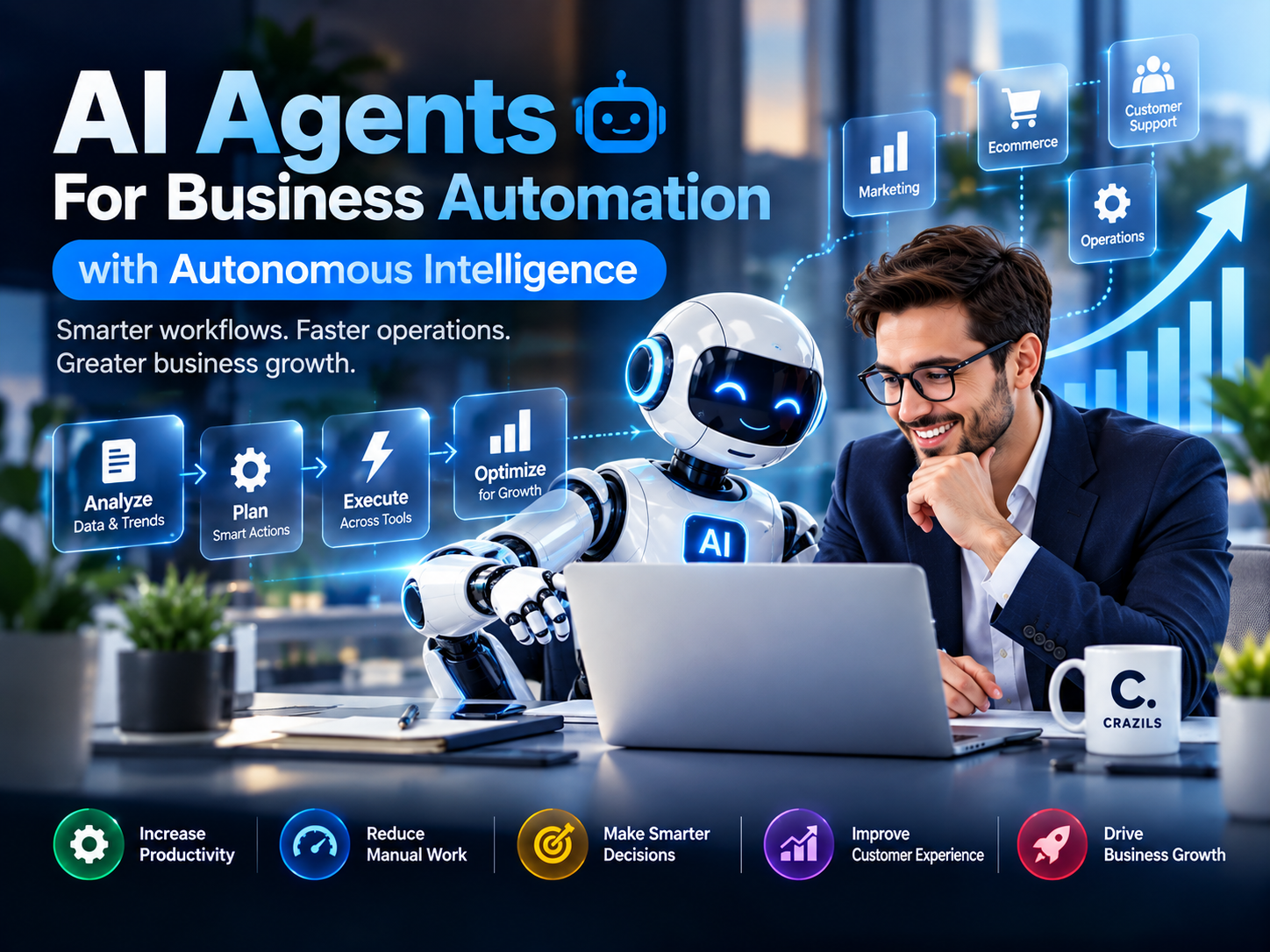


Artificial intelligence is moving beyond simple chatbots, basic automation, and tools that wait for humans to tell them what to do. A new generation of technology—AI agents—is changing how businesses approach everyday operations, customer service, marketing, data analysis, sales, and complex workflows.
Traditional automation is usually built around fixed instructions: when this happens, do that. AI agents can go further. They can interpret a goal, evaluate information, decide what action to take, use connected tools, and continue working through multiple steps with varying levels of human supervision.
For businesses, this represents an important shift from simply automating individual tasks to building systems capable of coordinating parts of an entire workflow.
But what exactly are AI agents, how do they work, and where can they create genuine business value?
This guide explores AI agents for business automation, their practical applications, benefits, limitations, and what businesses should consider before adopting autonomous AI systems.
What Are AI Agents for Business?
An AI agent is a software system designed to pursue a goal by interpreting information, reasoning about what should happen next, and taking actions within the tools and permissions available to it.
A conventional chatbot might answer:
“Here are five potential customers you should follow up with.”
An appropriately connected AI agent could potentially go several steps further. It might review leads in a CRM, identify prospects requiring attention, gather relevant account information, prepare personalized follow-up messages, update records, and flag important opportunities for a salesperson.
The important difference is action and autonomy.
Instead of only producing information, an AI agent can be designed to participate in the workflow itself.
Common capabilities may include:
- Understanding goals and instructions
- Analyzing information from multiple sources
- Breaking larger objectives into smaller tasks
- Selecting appropriate tools or actions
- Making decisions within predefined boundaries
- Executing multi-step workflows
- Maintaining context during a task
- Escalating exceptions to a human
- Evaluating results and adjusting subsequent actions
Not every AI agent has all these capabilities, and autonomy exists on a spectrum. Some systems merely recommend the next action, while others can execute approved tasks with limited supervision.
AI Agents vs Traditional Automation: What Is the Difference?
Businesses have used automation for decades. Email sequences, scheduled reports, CRM workflows, inventory alerts, and data-entry scripts are all forms of automation.
Traditional automation remains extremely valuable, particularly when a process is predictable.
The difference is flexibility.
A conventional automation might follow a rule such as:
New form submission → Add contact to CRM → Send predefined email → Notify sales team
This works well as long as every submission should be treated similarly.
An AI-powered workflow could potentially evaluate the form submission first. It might determine the prospect’s intent, classify the inquiry, summarize the requirements, check existing customer information, recommend a priority level, create a personalized response, and route the opportunity to the appropriate team.
Traditional Automation
Traditional systems are generally best for:
- Predictable processes
- Repetitive tasks
- Fixed business rules
- Structured data
- Clearly defined triggers and actions
AI Agent Automation
AI agents become particularly useful when a workflow involves:
- Unstructured information
- Multiple possible actions
- Context-dependent decisions
- Natural-language communication
- Several connected systems
- Changing information
- Multi-step reasoning
The goal is not necessarily to replace traditional automation. In many cases, the strongest solution combines deterministic automation with AI-based decision-making.
How Do AI Agents Work?
An AI agent can be thought of as a system with a goal, a reasoning engine, information sources, available tools, and boundaries.
While architectures differ significantly, a business AI agent may follow a process similar to this.
1. Receive an Objective
The agent starts with a task or desired outcome.
For example:
“Review new sales inquiries and prepare the appropriate follow-up.”
This is broader than a simple command such as “send this email.”
2. Gather Context
The system may retrieve relevant information from approved sources, such as:
- CRM records
- Customer messages
- Internal documentation
- Product information
- Previous interactions
- Databases
- Calendars
- Business applications
The quality of this context can significantly affect the quality of the result.
3. Determine the Next Action
Using an AI model and the surrounding system logic, the agent determines what should happen next.
For example, it may conclude that it needs to check whether the prospect is already in the CRM before creating a new record.
4. Use Available Tools
Depending on its permissions, an agent could interact with tools for functions such as:
- Searching databases
- Updating CRM records
- Drafting communications
- Retrieving documents
- Scheduling appointments
- Creating support tickets
- Generating reports
5. Evaluate the Result
After performing an action, the system can use the result as additional context and determine whether another step is required.
This creates an observe → decide → act → evaluate cycle.
6. Complete or Escalate
Once the objective has been achieved, the agent can return the result.
If it encounters uncertainty, insufficient information, a sensitive decision, or an action outside its permissions, a properly designed system should be able to escalate the task to a human instead of blindly continuing.
That final capability is particularly important for responsible business automation.
Why AI Agents Matter for Business Automation
The real opportunity is not simply that AI can perform tasks faster.
It is that AI agents can potentially connect activities that previously required a person to continuously move information between systems, interpret it, and decide what happens next.
Consider a typical lead-generation process.
A company may receive inquiries through its website. Someone then needs to read each inquiry, understand the requirements, check whether the lead is relevant, enter information into a CRM, send a response, arrange a consultation, and remind the sales team to follow up.
Each individual task is relatively small.
Together, however, they consume considerable time.
An AI-assisted workflow could potentially coordinate several of these steps while keeping human approval around important decisions.
This can help businesses focus human attention on judgment, relationships, creativity, negotiation, and strategy rather than repetitive administrative work.
Where Can Businesses Use AI Agents?
AI agents are not limited to one department. Their usefulness comes from their ability to operate across workflows.
1. Customer Service and Support
Customer support is one of the clearest applications.
Basic support bots typically answer frequently asked questions. More capable agents can potentially understand the customer’s issue, retrieve account information, consult a knowledge base, suggest troubleshooting steps, create or update a ticket, and escalate complex situations.
Possible applications include:
- Answering common customer questions
- Categorizing incoming support requests
- Summarizing lengthy conversations
- Retrieving relevant help documentation
- Updating support tickets
- Routing requests to the correct department
- Preparing responses for human approval
- Escalating high-risk or unusual cases
The best implementation does not simply try to eliminate human support. It uses automation to handle routine work while making human assistance easier to reach when it matters.
2. Sales and Lead Management
Sales teams often spend significant time on administrative work around selling rather than selling itself.
AI agents can help organize that process.
A sales-focused system might:
- Review incoming inquiries
- Extract important requirements
- Enrich lead information from approved sources
- Categorize prospects
- Prepare personalized follow-ups
- Update CRM records
- Summarize previous interactions
- Identify overdue follow-ups
- Schedule meetings when authorized
- Prepare sales representatives before calls
For example, rather than a salesperson manually reading ten previous messages before a meeting, an AI system could provide a concise summary of the customer’s requirements, concerns, previous discussions, and outstanding questions.
The salesperson still owns the relationship; the AI reduces the administrative burden around it.
3. Digital Marketing
Marketing involves large amounts of research, content, data, experimentation, and repetitive execution.
AI agents can support marketers by connecting these activities.
Potential applications include:
- Audience and competitor research
- Content topic discovery
- Campaign brief preparation
- Content repurposing
- Marketing performance summaries
- Lead segmentation
- Campaign monitoring
- SEO research
- Social media workflow assistance
- Identifying unusual changes in performance
Imagine a system that reviews campaign data every morning, identifies meaningful changes, compares them with previous performance, and prepares a short report explaining what requires a marketer’s attention.
That is considerably more useful than simply displaying another dashboard.
4. Ecommerce Operations
Online stores generate continuous streams of information from orders, customers, products, marketing campaigns, inventory systems, and support channels.
AI agents can potentially assist with:
- Product information management
- Customer inquiry handling
- Order-status support
- Product categorization
- Review analysis
- Inventory monitoring
- Merchandising recommendations
- Product-description preparation
- Customer feedback summarization
- Internal reporting
A retailer, for instance, could use an AI system to analyze customer feedback and identify recurring complaints about specific products.
Instead of manually reading hundreds of reviews, the team could quickly see emerging themes and investigate the underlying issue.
5. Internal Business Operations
Some of the most valuable AI applications may never be visible to customers.
Businesses perform enormous amounts of repetitive internal work.
AI agents can support operations such as:
- Document classification
- Internal knowledge retrieval
- Meeting preparation
- Report generation
- Data reconciliation
- Request routing
- Project status summaries
- Standard operating procedure assistance
- Task coordination
- Administrative workflows
The objective is straightforward: reduce the amount of time employees spend searching for information and transferring it manually between systems.
6. Finance and Administrative Workflows
AI can also assist with structured administrative processes, although financial actions generally require stronger controls and oversight.
Useful applications may include:
- Invoice information extraction
- Expense categorization assistance
- Payment reminder preparation
- Financial document organization
- Report summarization
- Identifying records that require review
- Comparing transactions with supporting documents
High-impact financial decisions and transactions should have appropriate human authorization, security controls, and auditability.
From Chatbots to Autonomous Workflows
One reason AI agents attract so much attention is that they represent a broader evolution in business AI.
Early business chatbots mainly followed decision trees.
Generative AI made conversations dramatically more flexible. Users could ask questions naturally, summarize documents, generate content, and analyze information.
Agents add another layer:
They can potentially take actions.
A simplified evolution looks like this:
Rule-Based Automation → Conversational AI → AI Assistants → AI Agents → Multi-Agent Workflows
The further a system moves toward autonomy, however, the more important governance, permissions, monitoring, and human oversight become.
Greater autonomy should come with stronger controls—not fewer.
The Business Benefits of AI Agents
When implemented around the right processes, AI agents can create several practical advantages.
Reduced Repetitive Work
Employees spend significant time copying information, checking systems, organizing documents, writing routine messages, and performing administrative follow-ups.
Automating appropriate portions of this work can free employees for higher-value activities.
Faster Response Times
An AI system can process incoming information quickly and operate outside normal working hours when configured to do so.
That can improve responsiveness in areas such as customer support and lead management.
More Consistent Processes
Manual processes naturally vary between employees and situations.
Well-designed agent workflows can help ensure that important steps are consistently followed.
Better Use of Business Data
Many organizations possess useful information but struggle to turn it into actionable insights.
Agents can help retrieve, summarize, classify, and connect information across approved systems.
Scalability
As a company grows, operational workload often grows with it.
Automation can help businesses process higher volumes without requiring every administrative task to scale linearly with headcount.
More Personalized Experiences
Because AI systems can work with context, they can help businesses personalize communications and experiences at greater scale—provided personal data is handled responsibly.
AI Agents Are Not “Set It and Forget It” Technology
The excitement around autonomous AI can make it sound as though a business can simply deploy an agent and allow it to run everything independently.
That is not a sensible approach.
AI models can make mistakes. They can misunderstand ambiguous instructions, work with incomplete information, produce inaccurate conclusions, or take an inappropriate action if the surrounding system has been poorly designed.
Businesses therefore need to think carefully about what an agent is allowed to do.
A useful principle is:
The potential impact of an action should influence how much human oversight it requires.
Generating an internal summary is relatively low risk.
Refunding a customer, changing a contract, publishing sensitive information, deleting business data, transferring money, or making a legally significant decision carries much greater consequences.
Those workflows require stronger controls.
Human-in-the-Loop Automation Matters
The most effective AI strategy is not always maximum autonomy.
Sometimes the better model is AI prepares, human approves.
For example, an agent could:
- Analyze a new business inquiry.
- Review relevant customer information.
- Prepare a recommended response.
- Suggest the next action.
- Ask a sales representative for approval.
- Execute the action only after approval.
This approach still removes substantial manual work while keeping people responsible for consequential decisions.
As confidence, testing, and monitoring improve, organizations can selectively automate more steps.
Key Risks Businesses Should Consider
AI agents can create significant value, but responsible adoption requires understanding their limitations.
Accuracy and Reliability
AI-generated reasoning or outputs are not guaranteed to be correct.
Important information should be validated, particularly when mistakes could affect customers, finances, legal obligations, security, or reputation.
Data Privacy
Agents may require access to customer records, internal documents, communications, or business systems.
Businesses should determine:
- What information the agent can access
- Why that access is necessary
- Where information is processed
- How long data is retained
- Which employees or systems can retrieve it
- Whether third parties receive information
Giving an agent access to everything simply because it might be useful is poor security practice.
Excessive Permissions
An agent should generally receive only the permissions required for its task.
A customer-support agent that only needs to read order information should not automatically have permission to delete customer accounts or change financial records.
This follows the security principle of least privilege.
Security
Connecting AI to business applications increases the importance of authentication, authorization, credential management, logging, and protection against malicious or misleading inputs.
Accountability
Businesses should know who is responsible for reviewing an automated system and what happens when it makes an error.
There should be clear escalation procedures rather than assuming the technology will always behave correctly.
How to Introduce AI Agents Into Your Business
Businesses do not need to automate everything at once.
In fact, starting smaller is usually more practical.
Step 1: Identify Repetitive Work
Look for processes where employees repeatedly perform similar activities.
Good candidates often involve:
- Copying information between applications
- Categorizing incoming requests
- Summarizing information
- Retrieving documents
- Preparing routine communications
- Monitoring data
- Creating recurring reports
Step 2: Measure the Current Process
Before automating something, understand how it currently works.
Ask:
- How much time does it consume?
- How frequently does it occur?
- Where do delays happen?
- What mistakes occur?
- Which decisions require human judgment?
Without a baseline, it becomes difficult to determine whether automation actually improved anything.
Step 3: Separate Low-Risk and High-Risk Actions
Not every task deserves the same level of autonomy.
Start with actions where mistakes can be detected and corrected relatively easily.
Keep sensitive actions behind human approval.
Step 4: Connect Only Necessary Tools
Give the system the minimum access required to complete the workflow.
Avoid unnecessary permissions.
Step 5: Test With Realistic Scenarios
Do not test only the easiest cases.
Test incomplete information, unusual customer requests, contradictory instructions, system failures, and situations where the agent should refuse or escalate.
Step 6: Monitor Performance
Track whether the automation actually delivers value.
Useful metrics may include:
- Time saved
- Response time
- Completion rate
- Error rate
- Escalation rate
- Customer satisfaction
- Cost per completed workflow
- Employee time recovered
Step 7: Improve Gradually
AI automation should evolve based on real-world results.
Expand autonomy only when the system has demonstrated sufficient reliability for the specific workflow.
What Makes an AI Agent Strategy Successful?
Technology is only one part of successful automation.
Businesses also need good processes.
An inefficient workflow does not automatically become efficient because AI has been added to it.
Before implementing agents, businesses should clearly define:
The Goal
What business problem is being solved?
The Inputs
What information does the system need?
The Actions
What exactly can it do?
The Boundaries
What must it never do automatically?
The Escalation Path
When should a person take control?
The Success Metric
How will the business know the system is working?
This structure turns AI adoption from experimentation into an actual business strategy.
Will AI Agents Replace Employees?
The impact will vary significantly by role, company, industry, and workflow.
AI agents are likely to automate portions of many jobs rather than neatly replacing every activity within a job.
A marketing professional, for example, might spend less time gathering reports and more time interpreting strategy. A support representative might handle fewer repetitive questions and spend more time resolving unusual customer situations. A salesperson might spend less time updating records and more time building customer relationships.
The more useful question for businesses is therefore not simply:
“Which jobs can AI replace?”
It is:
“Which parts of our work should be automated, which should be AI-assisted, and which should remain human-led?”
That distinction creates a much more practical automation strategy.
The Future of Business Automation Is Agentic
AI agents are likely to make business software more proactive.
Instead of employees constantly opening applications, searching for information, checking dashboards, and manually initiating every workflow, software can increasingly help identify what needs attention and prepare or execute appropriate actions.
We are likely to see more systems where specialized agents work together.
For example:
- A lead agent analyzes new inquiries.
- A research agent gathers relevant context.
- A sales agent prepares outreach.
- A scheduling agent coordinates meetings.
- A reporting agent tracks outcomes.
But multi-agent systems also introduce additional complexity. More agents mean more interactions, permissions, failure points, and monitoring requirements.
Businesses should adopt complexity because it solves a real problem—not because “agentic AI” is fashionable.
AI Agents and Small Businesses
AI agents are not only relevant to large enterprises.
Small businesses may benefit significantly because employees often handle multiple responsibilities at once.
A small agency, ecommerce company, professional-services business, or startup could use carefully designed AI workflows to support:
- Lead qualification
- Customer inquiries
- Meeting preparation
- Content operations
- Sales follow-ups
- Internal reporting
- Project administration
- Knowledge management
The key is choosing workflows where automation saves meaningful time without introducing disproportionate risk.
A small business does not necessarily need dozens of AI agents.
One reliable automation that saves several hours every week can be more valuable than ten complicated systems nobody trusts.

AI Agents vs Human Expertise: The Best Results Come From Both
Autonomous intelligence is powerful, but businesses still depend on human capabilities that extend beyond automated execution.
People provide:
- Strategic judgment
- Empathy
- Relationship building
- Creative direction
- Ethical responsibility
- Negotiation
- Contextual understanding
- Accountability
AI contributes different strengths:
- Speed
- Scale
- Information processing
- Repetitive execution
- Pattern recognition
- Continuous availability
The strongest business model is therefore often not human vs AI.
It is human expertise amplified by intelligent automation.
From Task Automation to Intelligent Business Systems
AI agents represent an important development in business automation because they move AI beyond simply generating text or answering questions.
They can help businesses build systems that understand objectives, gather information, coordinate tools, perform actions, and manage multi-step workflows.
The opportunity is significant—but autonomy itself should not be the goal.
The goal should be better business outcomes.
For organizations exploring AI agents, the most effective approach is to start with a genuine operational problem, automate carefully, maintain appropriate human oversight, measure results, and expand only where the technology proves useful.
Businesses that get this right will not simply have more AI tools.
They will have smarter workflows where people and technology work together to deliver faster, more consistent, and more scalable operations. Contact Crazils Agent Or Follow Us To Get Updates
Related News

7 Signs Your Business Website Needs Redesign

Website Design Trends Businesses Should Know in 2026

How to Perform a Competitor Analysis for Your Business

How Professional Graphic Design Influences Customer Trust
Popular News